Best Email Deliverability Tools to Improve Inbox Placement
You can have the best content in the world, but if your emails never reach the inbox, your effort goes to waste. With spam filters tightening and sender reputations under constant scrutiny, getting your emails seen is harder than ever. That’s where email deliverability tools swoop in to save the day.
We’ll break down what email deliverability really means, the key features to look for in a tool, and the top deliverability platforms in 2025 so you can boost engagement, protect your domain, and get the results your campaigns deserve.
Key takeaways
- 14.3% of emails never reach the inbox, costing businesses engagement and revenue
- Deliverability tools help prevent emails from being flagged as spam or ignored
- Key features include inbox placement testing, domain reputation tracking, and spam filter analysis
- Choosing the right tool can improve open rates, protect your sender domain, and increase ROI
- We’ve reviewed the best email deliverability tools of 2025 to help you pick the right one
What is email deliverability?
Email deliverability is the measure of how successfully your emails reach your recipients’ inboxes. It’s not just whether they’re sent, but whether they actually avoid spam filters, blacklists, or silent drops along the way.
When your deliverability is strong, your emails land in inboxes where they’re seen, opened, and acted on. But if it’s weak? Even legitimate messages can be flagged as spam or never arrive at all.
Common email deliverability issues
If you spend any length of time doing email marketing, you’ve got a high likelihood of running into at least one of these all-too-common problems.
- Spam filters: Algorithms that block messages based on content, sender reputation, or technical setup
- Poor domain or IP reputation: Caused by frequent bounces, spam complaints, or bad sending practices
- Authentication failures: Missing or misconfigured SPF, DKIM, or DMARC records make your emails look suspicious
- Blacklisting: If your IP or domain ends up on a blocklist, many ISPs will auto-reject your emails
- Low engagement: ISPs track open and click rates; emails that consistently go ignored may be deprioritized
A recent survey found that 69% of recipients mark emails as spam based on the subject line alone, meaning deliverability isn’t just technical. It’s tied to content, trust, and strategy.
Key features to look for in email deliverability tools
Not all email deliverability tools are created equal. The best platforms go beyond simple diagnostics to help you actively improve your sender reputation, avoid spam folders, and monitor performance in real time.
Here are the key features to look for when evaluating your options:
- Real-time monitoring: Get alerts when your emails hit spam folders, bounce excessively, or show signs of declining performance.
- Spam testing: Check your emails against common spam filters before you hit send, so you can tweak subject lines, formatting, or links to stay inbox-friendly.
- Domain reputation tracking: Monitor how ISPs view your domain and IP address. High sender scores mean better inbox placement and fewer deliverability headaches.
- Authentication checks: Make sure your SPF, DKIM, and DMARC records are properly set up and aligned. Tools should flag issues that could affect trustworthiness.
- Inbox placement testing: Simulate where your email will land across major providers (Gmail, Outlook, Yahoo, etc.) to identify potential problems early.
Some tools have all the bells and whistles with the price to match, while some are simpler and budget-friendly. Mapping out your needs before you buy is the best way to both get everything you need without breaking your budget.
Email deliverability tool feature comparison
Before we dive into all the details, here’s a snapshot of the main features of our top email deliverability tools.
| Tool | Real-Time Monitoring | Spam Testing | Domain Reputation Tracking | Authentication Checks | Inbox Placement Testing |
| Warmup Inbox | Yes – reputation score + alerts | Limited – monitors spam folder placement during warm-up | Yes – sender score tracking | Yes – basic DNS checks included | Partial – via warm-up results |
| Mailgun | Yes – performance dashboards | No built-in spam testing | Yes – via Inbox Placement tool | Yes – SPF/DKIM/DMARC setup guidance | Yes – Inbox Placement available on paid plans |
| Sender Score | Yes – Everest real-time monitoring | No | Yes – detailed scoring + ISP data | Yes – part of Everest suite | Yes – seed testing via Everest |
| GlockApps | Yes – test dashboards | Yes – pre-send spam filter testing | Yes – via domain/IP checks | Yes – detailed authentication results | Yes – seed inbox placement tests |
| SendGrid | Yes – event analytics | No – spam testing not included | Yes – IP/domain reputation stats | Yes – includes DNS config guides | Partial – inbox monitoring on higher plans |
| Postmark | Yes – real-time delivery tracking | No | Yes – reputation managed via isolated streams | Yes – strict SPF/DKIM/DMARC enforcement | No – no placement testing tools |
| Litmus | No – pre-send only | Yes – spam filter simulation | No – not a sender monitoring tool | Partial – flags issues in test emails | No – not built for inbox placement |
| Bird Email | Yes – predictive alerts via Signals | No – no content spam test | Yes – Signals provides domain health insights | Yes – detailed authentication dashboards | Yes – Inbox Tracker shows placement by provider |
| Mailtrap | Yes – alerts for bounce/spam spikes | Yes – spam score preview in sandbox | Yes – basic domain status overview | Yes – SPF/DKIM/DMARC support | Partial – sandbox helps, but no seed testing |
1. Warmup Inbox
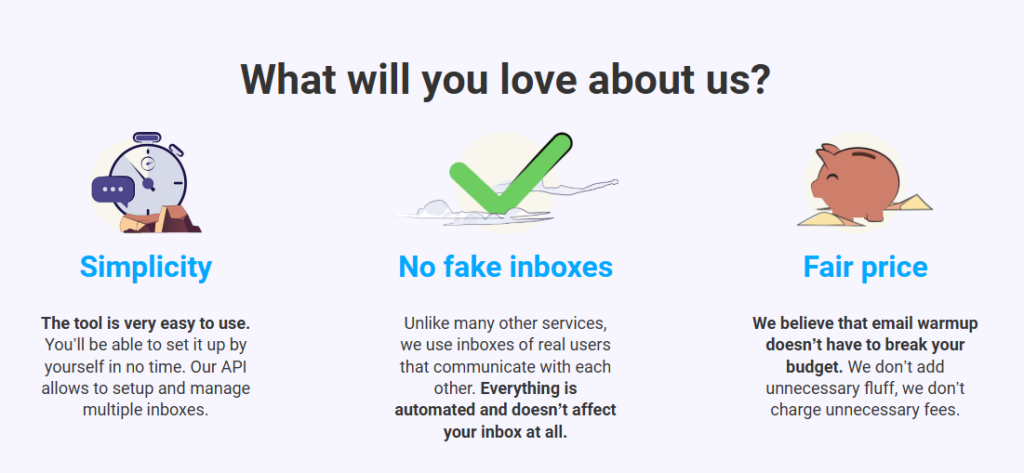
Warmup Inbox is a dedicated email warm-up and reputation management tool designed to help users land in the inbox rather than the spam folder. It works by sending and receiving emails on your behalf through a network of over 30,000 real inboxes, gradually building your domain’s credibility with email service providers.
Its automated system mimics natural conversation patterns, monitors blacklists, and generates daily reputation scores, making it a solid choice for anyone launching a new domain, recovering from a deliverability issue, or maintaining healthy sender performance.
With the power of Warmup Inbox, Mangools increased their open rate from 1% to 32% and reduced spam placement by 44% after only two weeks.
Pricing
Warmup Inbox offers three plans based on inbox volume and feature access:
- Basic: $19/month per inbox: core warm-up functionality (~75 warm-up emails/day)
- Pro: $59/month: includes custom warm-up topics, template warming, and higher reply rates
- Max: $99/month: adds premium support, setup consultation, and ~65% of warm-up emails getting replies
- Annual plans offer a sweet ~20% discount.
[Try free for 7 days]
Key features
- Automated email warm-up using real, active inboxes
- Reputation monitoring with daily scoring and spam alerts
- Blacklist monitoring and deliverability status tracking
- Custom warm-up topics and reply patterns (Pro and Max only)
- API access for managing multiple inboxes
| Pros | Cons |
| Easy to set up and beginner-friendly UI | Costs can add up when warming multiple inboxes |
| Significantly improves sender reputation and inbox placement | Advanced features like template warming locked to higher tiers |
| API access and scalable across teams | Shared plans can be confusing to navigate at first |
| Affordable for solo users or small teams | A few reports of limited support response times during busy periods |
2. Mailgun
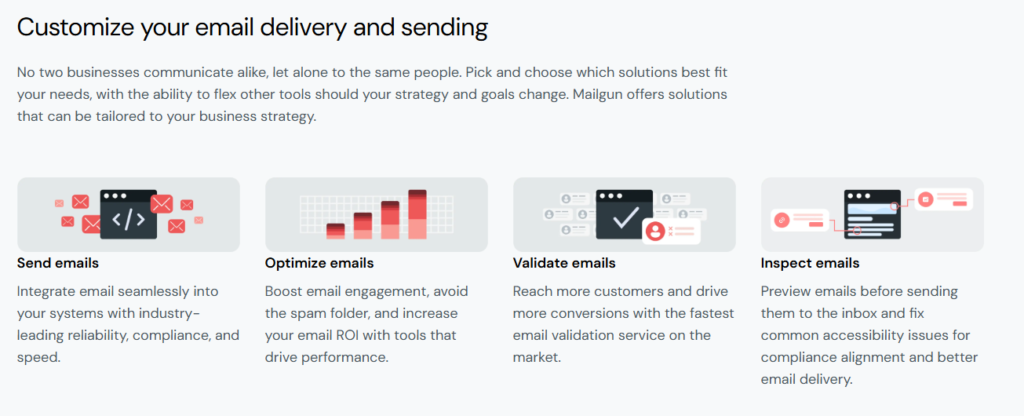
Mailgun is a powerful, developer-centric platform for sending, receiving, and tracking transactional and marketing emails via API. Known for its speed, scalability, and rich documentation, it’s a favorite among product and engineering teams who need full control over their email infrastructure.
What sets Mailgun apart is its flexibility (it’s built for developers, not marketers), so it lacks visual campaign builders, but makes up for it with robust performance monitoring, inbox placement testing (on paid plans), and advanced features like email validations and automatic IP warm-up.
For an inspiring success story about how Mailgun was a turning point for SparkToro, take a look at their case study video.
How SparkToro sends its most important emails
Pricing
Mailgun offers a free trial and multiple pricing tiers based on email volume:
- Basic: $15/month for 10,000 emails/month
- Foundation: $35/month for 50k emails
- Scale: Starts at $90/month, includes phone support, 30-day logs, and advanced analytics
All plans include core API features, and deliverability tools scale with pricing.
Key features
- Fast, reliable email sending via SMTP or HTTP API
- Real-time analytics and message logs (up to 30 days on higher plans)
- Inbox placement and spam trap detection (Growth and Scale tiers)
- Email validation service to clean your list
- Automated IP warm-up and domain reputation insights
| Pros | Cons |
| Developer-friendly and highly customizable API | Not suitable for marketers – no drag-and-drop builder |
| Strong deliverability with predictive inbox placement tools | Shared IPs and ticket-only support on lower plans |
| Scalable to millions of emails/month | Requires some technical expertise to implement and troubleshoot |
| Good documentation and SDKs for most languages | Deliverability tools only available on higher-tier paid plans |
3. Sender Score by Validity
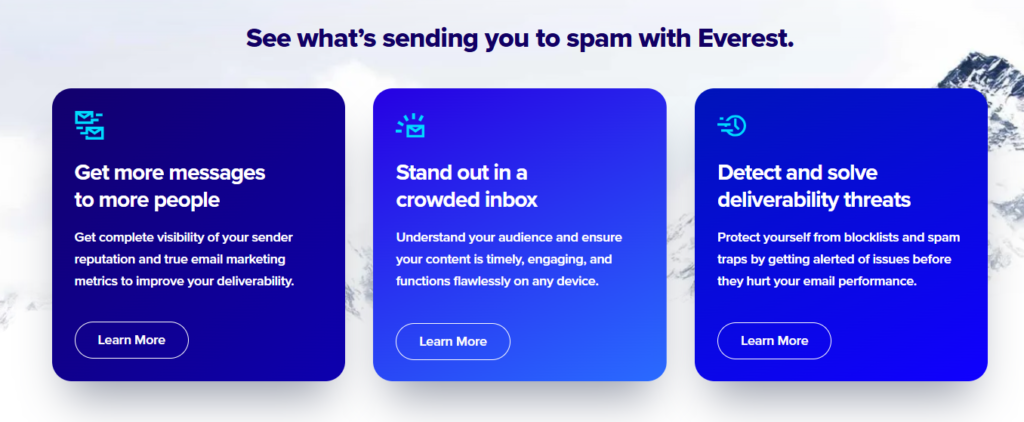
Part of the Validity Everest platform, Sender Score is a reputation tracking tool that evaluates your domain or IP on a scale from 0 to 100. It helps you understand how mailbox providers perceive your emails and flags potential issues before they become major deliverability problems.
The platform is especially valuable for larger senders who need detailed diagnostics, blocklist monitoring, and ongoing support from deliverability experts. While it’s not a standalone tool anymore (it’s bundled with Everest), it remains one of the most trusted names in reputation tracking.
In a real-world example, Virgin Atlantic used Everest (which includes Sender Score) to achieve a 100% inbox placement rate and maintain a 99/100 sender reputation score for their customer email programs.
Pricing
Sender Score is now integrated into the broader Validity Everest platform. Pricing is custom, but here’s a general idea:
- Everest Elements: starts around $20/month (limited features, suitable for smaller teams)
- Full Everest platform: starts around $525/month and scales for enterprise use
- Includes real-time monitoring, inbox placement tests, spam trap detection, and dedicated support on higher tiers
Key features
- IP and domain reputation scoring from 0 to 100
- Blocklist monitoring and spam trap alerts
- Inbox placement testing via seed list
- Authentication checks (SPF, DKIM, DMARC)
- Competitive intelligence and ISP-specific diagnostics
- Expert guidance and support included on most plans
| Pros | Cons |
| Highly trusted tool for reputation monitoring | Expensive for small businesses or solo users |
| Provides ISP-specific deliverability insights | Full version only available as part of the Everest suite |
| Helps prevent blacklisting and inbox issues before they escalate | Can be overwhelming without email ops experience |
| Includes access to consulting and expert support on higher plans | No built-in email sending or design tools |
4. GlockApps
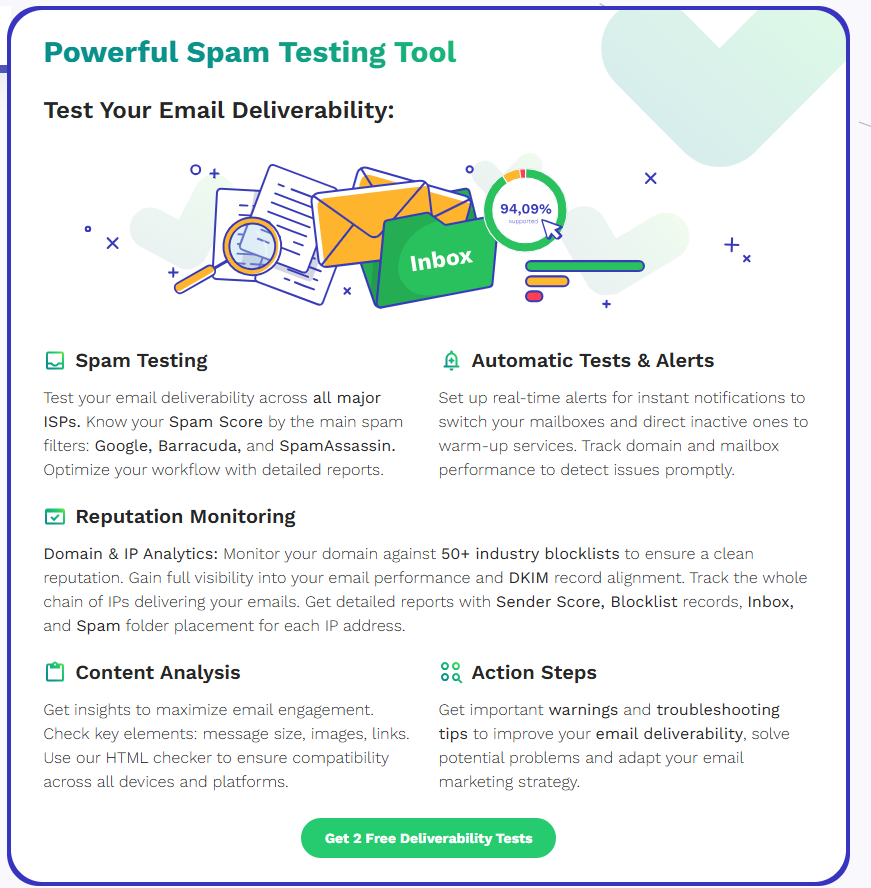
This specialized email testing and monitoring tool was built to help senders identify exactly where their emails are landing – Inbox, Spam, or Promotions – and why. It offers one of the most detailed pre-send testing suites available, making it especially useful for marketers, agencies, and developers aiming to avoid deliverability pitfalls.
Users can run spam filter diagnostics across major providers, check authentication settings, and even track blacklists, all from a single dashboard. It’s a favorite for anyone who wants deep visibility into their email infrastructure without having to rely solely on post-send analytics.
In a case study, Inboxist used GlockApps to optimize deliverability and authentication, helping one eCommerce client increase email-driven revenue from 8% to 35%.
Pricing
GlockApps offers both subscription plans and pay-as-you-go options:
- Free plan: 2 spam checks per month and 10,000 DMARC messages
- Essential: $59/month with 360 spam check credits, 600,000 DMARC messages
- Growth: $99/month with 1,080 spam check credits, adds team access, 1,200,000 DMARC messages
- Enterprise: $129/month for all benefits, API access, and maximum umber of checks and messages.
Key features
- Inbox placement testing across major providers
- Spam filter diagnostics for Gmail, Outlook, Yahoo, and more
- DMARC analytics with visual reporting
- IP/domain blacklist and uptime monitoring
- Email rendering previews
- Authentication checks (SPF, DKIM, DMARC)
| Pros | Cons |
| In-depth inbox placement and spam filter testing | Steeper learning curve for non-technical users |
| Includes blacklist and domain health monitoring | No built-in sending or warm-up capabilities |
| Supports DMARC analysis and visual reporting | Can get expensive with frequent testing or large teams |
5. SendGrid
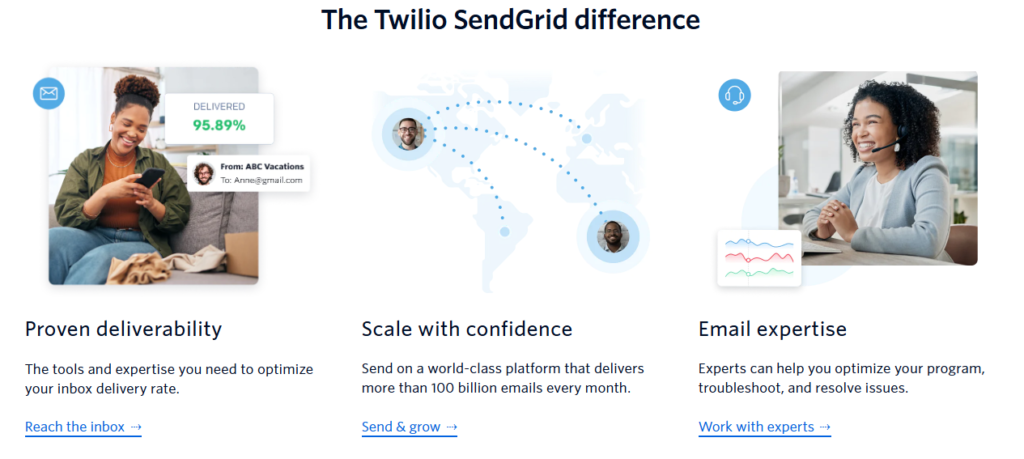
SendGrid, now part of Twilio, is a cloud-based email platform designed for both transactional and marketing communications. Known for its scalability and reliability, it’s used by brands like Uber, Spotify, and Airbnb to send billions of emails each month.
What makes SendGrid stand out is its balance of developer tools (API, SMTP relay, and templating) and marketer-friendly features like list segmentation, analytics, and A/B testing. It’s particularly strong in handling large volumes of transactional email while offering key deliverability features like domain authentication and reputation monitoring.
Check out this case study from SendGrid to learn about Havenly’s success.
Pricing
SendGrid offers both Marketing Campaigns and Email API pricing. Email API pricing is as follows:
- Free: 60 day trial, up to 100 emails/day
- Essentials: From $19.95/month for up to 100,000 emails/month
- Pro: Starts at $89.95/month: includes dedicated IP and more analytics
- Premier: Custom pricing: dedicated support, SLA, and higher volume needs
Both sides (API and Marketing) can be combined or used separately.
Key features
- Email API with support for transactional and marketing emails
- Real-time analytics, engagement tracking, and suppression management
- Dedicated IPs for higher-volume senders (Pro+)
- Bounce and block management tools
- Domain authentication (SPF, DKIM) and link branding
- A/B testing, list segmentation, and automation workflows
| Pros | Cons |
| Scales easily for high-volume transactional or marketing emails | Some features locked behind higher-tier plans |
| Developer-friendly API with good documentation | Deliverability tools not as deep as specialized platforms |
| Strong sender authentication and IP warm-up support | UI can be clunky and slow for non-technical users |
| Offers both SMTP relay and email marketing campaign tools | Premier support and dedicated IP only available on Pro+ tiers |
6. Postmark
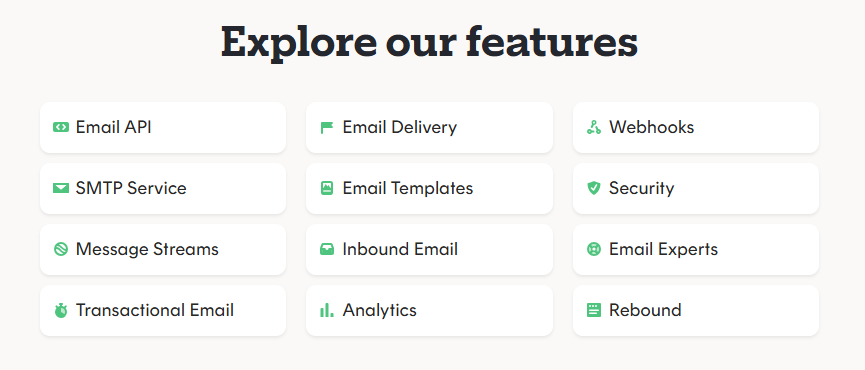
Postmark is a transactional email service focused on speed, reliability, and deliverability. Built specifically for time-sensitive emails like password resets, receipts, and onboarding messages. Postmark delivers emails in seconds and avoids the typical bulk-email delay many platforms experience.
Its standout feature is consistent inbox placement for transactional messages, thanks to fast, focused infrastructure and strict list policies. Unlike some competitors, Postmark separates transactional and promotional traffic by default to protect sender reputation.
Nusii integrated Postmark to ensure fast, reliable proposal delivery for their users making email a flawless part of the client onboarding experience and reducing support issues tied to email failure.
Pricing
Postmark pricing is based on the number of emails sent per month:
- Basic: $15/month for 10,000 emails; $1.80 per additional 1k
- Pro: $60.50/month for 50,000 emails; $1.30 per additional 1k
- Platform: $138/month for 125,000 emails; $1.20 per additional 1k
Key features
- Super-fast transactional email delivery (<10s on average)
- Separate infrastructure for transactional and broadcast emails
- Full support for SPF, DKIM, DMARC
- Webhooks for delivery, opens, clicks, bounces, etc.
- Real-time dashboards and email history
- Optional dedicated IP addresses (free on high volume)
| Pros | Cons |
| Extremely fast and reliable delivery for transactional email | Not intended for promotional or bulk campaigns |
| Focused infrastructure helps maintain high inbox placement | Limited visual tools – not ideal for marketers |
| Great documentation and dev-focused APIs | Fewer integrations compared to larger platforms |
| Optional dedicated IPs with higher plans | More expensive than some all-in-one platforms at high volumes |
7. Litmus
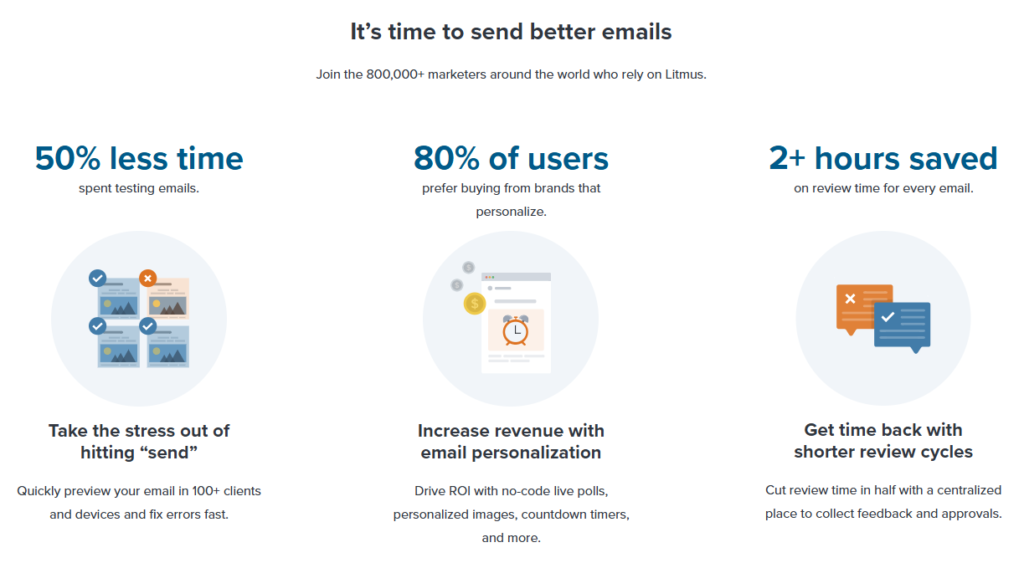
This pre-send testing and email optimization platform was designed to help teams build, test, and analyze emails before they go out the door. It doesn’t handle sending emails, instead, it ensures that what you send looks right and avoids spam filters.
With support for over 90 email clients and devices, Litmus lets you preview exactly how your message will render for your audience. It also includes spam filter testing, accessibility checks, and post-send engagement analytics, solidifying it as a go-to for email teams that want to maximize performance and avoid embarrassing rendering issues.
In one successful case, Hudl cut their email review time by 40%, improved email accuracy by 70%, and saw a 50% increase in click-through rates after streamlining their workflow and QA process with Litmus.
Pricing
Litmus offers three pricing tiers:
- Individual: $99/month and includes pre-send testing, spam filter checks, and analytics for one user
- Small Teams: $199/month and adds team collaboration, approval workflows, and reusable email blocks
- Enterprise: Custom pricing. Supports large teams, integrations with ESPs, and advanced permissions
Free trials available for the Individuals and Small Teams plans.
Key features
- Email previews in 90+ clients (Gmail, Apple Mail, Outlook, etc.)
- Spam filter testing across major ISPs
- Pre-send link validation, accessibility checks, and image blocking tests
- Engagement analytics and read-time tracking
- Collaboration features (commenting, approvals, shared templates)
| Pros | Cons |
| Extremely thorough email previews across devices and clients | Doesn’t send emails – must integrate with your ESP |
| Spam testing and accessibility features help improve deliverability | High price point for smaller teams or solo users |
| Streamlines QA and review workflows | Best suited for teams with defined design/approval processes |
| Constant updates to keep up with email client changes | Limited to pre-send analysis – no live inbox placement monitoring |
8. Bird Email (formerly SparkPost)
Bird Email, now part of Bird’s unified CRM platform, continues to specialize in high-volume email delivery, advanced analytics, and predictive deliverability tools. It’s designed for developers and enterprises requiring detailed insights into email performance and optimization strategies.
A notable feature is the Signals platform, which utilizes predictive algorithms to forecast inbox placement issues before they occur. With tools for reputation management, bounce classification, and engagement scoring, it assists large-scale senders in refining their email strategies in real time.
In a case study, Binance increased its weekly email volume by 2.5x, maintained a 99.01% inbox placement, and now sends over 150 million emails weekly using Bird’s email API, ensuring fast, secure, and personalized communication at a global scale.
Pricing
- Starter: $45/month for up to 3,000 contacts; includes unlimited Email, SMS, and WhatsApp sends.
- Advanced: Scales up to 50,000 contacts with additional features and support.
- Enterprise: Custom pricing for over 50,000 contacts; offers dedicated technical account manager, advanced deliverability services, and custom support plans.
Note: WhatsApp and third-party SMS fees apply where applicable, with no additional markup.
Key features
- Predictive inbox placement and engagement insights via Signals.
- Real-time monitoring of performance metrics and bounce rates.
- Adaptive delivery based on recipient behavior and ISP response.
- Domain and IP reputation tracking.
- RESTful APIs for sending, tracking, and managing email.
- Built-in A/B testing and suppression list tools.
| Pros | Cons |
| Signals platform provides advanced insights | Steeper learning curve for non-technical users |
| Scales efficiently for high-volume senders | UI and onboarding less intuitive than some competitors |
| Real-time bounce and engagement analytics | Deliverability tools available in mid-tier plans and above |
| Advanced email routing and adaptive delivery | Not ideal for casual or low-volume senders |
9. Mailtrap

Mailtrap is an email delivery testing platform built for developers who need to inspect, debug, and validate emails in staging environments without accidentally sending test emails to real users.
Its core strength is providing a safe “sandbox” where developers can make sure messages are correctly formatted, secure, and free of spam triggers before going live.
Mailtrap also offers a dedicated email API, SMTP testing, spam scoring, and blacklisting alerts, making it an essential part of CI/CD pipelines and QA workflows. It’s especially useful for dev teams that build email-heavy products or automate email functions.
Calendly uses Mailtrap to test over 40 million emails per month, streamlining collaboration across 40+ developers and QAs and automating end-to-end email testing across environments without ever risking a customer-facing misfire.
Pricing
Mailtrap offers both sandbox and transactional email plans:
Email Sending
- Free: 1,000 test emails/month, 100 contacts
- Basic: $15/month with 10,000 emails, 5,000 contacts
- Business: $85/month with 100,000 emails and contacts
- Enterprise: $750/month with 1,500,000 emails and contacts
Email Sandbox
- Free: 100 test emails/month, 1 inbox
- Individual: $14.99/month: 5,000 emails, 5 inboxes
- Team: $34.99/month: 5,000 emails, 15 inboxes, 20 team members
- Business: $64.99/month: 50,000 emails, 40 inboxes
- Premium: $129.99/month: 100,000 emails, 80 inboxes
- Enterprise: $399.99/month: 10M emails, 300 inboxes, up to 999 users
Key features
- Email sandbox for safe pre-send testing
- Spam score checking and blacklisting alerts
- Support for HTML validation and broken link detection
- CI/CD integration support for automated email QA
- Transactional email sending with detailed logs
- Role-based access and team inbox management
| Pros | Cons |
| Safe and isolated environment for testing emails | Not intended for sending marketing or campaign emails |
| Spam scoring and blacklist warnings catch issues early | Deliverability features limited to transactional product tier |
| Easy to integrate into dev pipelines | Requires technical setup and isn’t beginner-focused |
| Affordable plans with generous sandbox limits | Sandbox inboxes may be limiting for large QA teams on lower tiers |
How to choose the right tool for your needs
With so many deliverability tools on the market, choosing the right one depends on your business goals, team setup, and email volume. Here’s how to narrow it down.
Business size
- Solo users or small teams: Look for affordable, easy-to-use tools with essential features like spam testing and reputation monitoring.
→ Good picks: Warmup Inbox, Mailtrap, GlockApps - Mid-size businesses: Prioritize tools that combine analytics, authentication checks, and inbox placement testing.
→ Good picks: SendGrid, GlockApps, Mailgun - Enterprises: You’ll likely need advanced analytics, dedicated support, custom infrastructure, and high-volume sending.
→ Good picks: Bird Email, Sender Score via Everest, Postmark, Mailgun
Campaign goals
- Transactional email focus: Choose tools built for speed, reliability, and minimal delay.
→ Good picks: Postmark, SendGrid, Bird Email - Marketing and promotional email: Opt for platforms with inbox placement testing, spam diagnostics, and list monitoring.
→ Good picks: GlockApps, Litmus, Mailgun (with placement tools) - Email testing during development: Use sandboxes and pre-send validators to avoid issues before going live.
→ Good picks: Mailtrap, Litmus, GlockApps
Scalability
Check whether the platform offers:
- Flexible pricing for different volumes
- Dedicated IP options
- API access for integration into your workflows
- Support tiers for growing teams
If you expect to scale rapidly or work across departments, prioritize tools that grow with you.
Image ‘visual-selection 46’
Tips to improve email deliverability beyond tools
Even the best deliverability tools won’t save a poor sending strategy. To consistently land in the inbox, you need to follow sound practices that build trust with both your audience and email service providers.
Here are a few practical tips to keep your deliverability healthy – tools or no tools:
- Set up authentication protocols
Use SPF, DKIM, and DMARC to validate your sender identity. Many inboxes reject or filter unauthenticated emails automatically. - Warm up new domains and IPs
Start with low-volume sending and gradually increase over time. Tools like Warmup Inbox automate this process to build trust faster. - Clean your email list regularly
Remove invalid, inactive, or unengaged addresses to reduce bounce rates and spam complaints. Services like EmailListVerify can make the process smooth and fast. - Avoid spam trigger words
Steer clear of phrases like “FREE,” “limited offer,” or “100% guaranteed,” especially in subject lines. Use a free subject line tester to check for spammy words. - Personalize your emails
Use segmentation, dynamic fields, and behavior-based triggers to send relevant, human-sounding content. High engagement boosts reputation. - Monitor engagement metrics
Low open and click rates can signal to ISPs that your messages aren’t wanted. If engagement drops, consider re-engagement campaigns or list pruning.
Conclusion
Email deliverability can make or break your outreach strategy. You might have great content, solid offers, and a well-segmented list, but none of it matters if your emails never reach the inbox.
The good news? You don’t have to guess your way through it. Whether you’re launching a new domain, troubleshooting spam folder issues, or scaling a transactional email system, the right deliverability tools can give you the insights and the edge you need.
From pre-send testing to sender reputation monitoring and inbox placement tracking, the tools we’ve covered in this guide offer something for every type of sender. And if you’re just getting started or need to rebuild trust with inbox providers, starting with a dedicated warm-up tool can set the foundation for long-term success.
Start with a free trial of Warmup Inbox and see how much more effective your email campaigns can be – just by landing where they’re supposed to.