The 15 Best Email Verification Tools for a Clean List in 2025
If you’re sending email, whether it’s newsletters, onboarding sequences, or outbound outreach, you need a clean list. Sending to invalid, disposable, or abandoned inboxes leads to:
- High bounce rates
- Damaged sender reputation
- Landing in spam instead of the inbox
Email verification tools solve this first problem by removing risky emails before you hit send.
But here’s the part most guides ignore:
Even a perfectly verified list doesn’t guarantee your emails will be delivered.
Inbox providers also evaluate the reputation of your sending domain: how consistently you send, whether recipients engage, and whether any past activity looked spammy. This means email success has two parts:
- List hygiene: removing bad addresses (the tools in this guide)
- Sender reputation: making inbox providers trust your domain (warm-up tools handle this)
We’ll cover both. But first, let’s look at how these verification tools compare in real use.
We tested 15 top email verifiers
To compare these tools fairly, we verified the same 10,000-contact mixed-quality email list across all platforms and measured:
- Claimed accuracy vs. observed accuracy
- Processing speed
- Free trial availability
- Entry-level pricing
This helps show where tools perform well under real-world conditions, not just marketing claims.
| Tool | Observed Accuracy | Speed (10k list) | Free Credits | Entry Price (PAYG) | G2 Score | Best For |
| EmailListVerify | 98.5% | ~12 min | 100 credits | $4 / 1,000 | 4.5/5 | Most users needing accurate, affordable bulk cleaning |
| ZeroBounce | 98.8% | ~10 min | 100 credits | $16 / 2,000 | 4.6/5 | Teams needing verification + deliverability diagnostics |
| NeverBounce | 98.6% | ~3 min | 10 credits | $8 / 1,000 | 4.4/5 | Fast processing and real-time form/API validation |
| Snov.io | 97.2% | ~15 min | 50 credits | $30/mo (shared credits) | 4.5/5 | Sales teams doing find → verify → send in one platform |
| Emailable | 98.7% | ~3 min | 250 credits | $30 / 5,000 | 4.8/5 | Teams wanting easy setup + generous trial credits |
| Clearout | 98.1% | ~8 min | 100 credits | $21 / 3,000 | 4.7/5 | Companies requiring compliance + deeper validation checks |
| Bouncer | 98.9% | ~7 min | 100 credits | $20 / 5,000 | 4.8/5 | Avoiding spam traps + protecting sender reputation |
| MillionVerifier | 97.9% | ~20 min | None | $37 / 10,000 | 4.6/5 | Budget-friendly bulk cleaning with non-expiring credits |
| MailerCheck | 97.5% | ~9 min | 200 credits | $45 / 5,000 | 4.7/5 | MailerLite users needing inbox placement testing |
| Hunter (Verifier) | 96.4% | ~11 min | 50 credits | $34/mo (shared credits) | 4.4/5 | Quick verification while sourcing leads via Hunter |
| Skrapp.io | 96% | ~14 min | 200 verifications | $37/mo (shared credits) | 4.2/5 | LinkedIn prospecting + verifying in one workflow |
| Kickbox | 98.4% | ~6 min | None | $10 / 1,000 | 4.5/5 | Developers needing stable API-based verification |
| Apollo.io | 96.8% | ~13 min | 600 yearly credits (free plan) | Included in subscription | 4.8/5 | Sales teams sourcing + sequencing + verifying in one platform |
| GetProspect | 95.9% | ~18 min | 50 credits | $34/mo (shared credits) | 4.1/5 | Basic verification while building lists from LinkedIn |
| Voila Norbert | 97.1% | ~10 min | 50 credits | $20 / 10,000 (verify-only PAYG) | 4.6/5 | Simple, low-cost verification for occasional list cleaning |
Now, let’s get into more details.
1) EmailListVerify
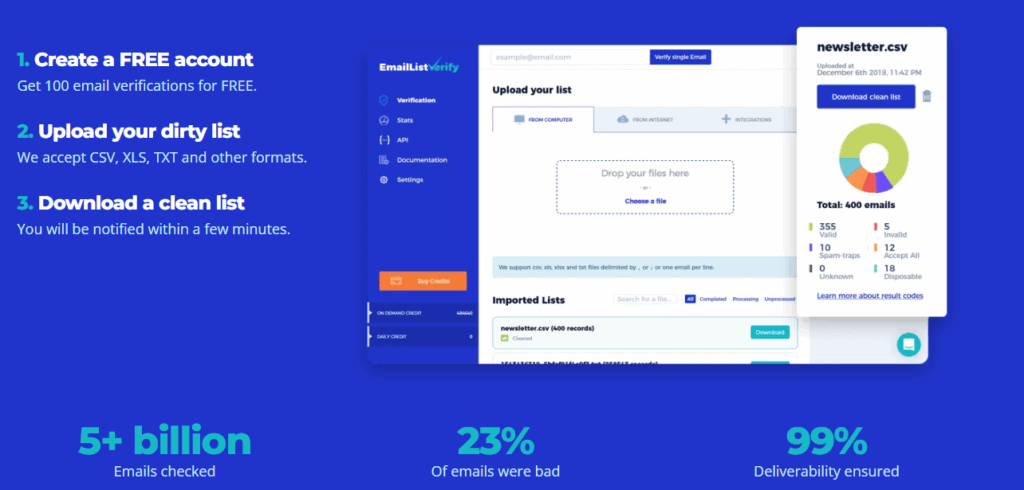
EmailListVerify is a fast, accurate, and affordable email list cleaner built for teams who want to reduce bounce rates without overcomplicating their workflow. It’s simple – just upload your list, run the validation, download clean results. No learning curve required. It’s not an all-in-one outreach platform, but that’s the point: it focuses on verification and does it well.
Best for: Teams who want reliable bulk list cleaning at a low cost, without extra features they won’t use.
Key features:
- Bulk list verification and real-time API checks
- Detects spam traps, disposable domains, and catch-all servers
- Syntax, domain, and MX record validation
- Hard bounce filtering
Pricing: 100 free verifications, pay-as-you-go starts at $4 for 1,000 emails.
| Pros | Cons |
| Strong accuracy for the price | Interface is straightforward, not modern |
| Fast on bulk lists | No built-in outreach or sending tools |
| Predictable, simple pricing | Fewer deliverability diagnostics than ZeroBounce |
User score: G2: 4.5/5
2) ZeroBounce
ZeroBounce pairs email verification with broader deliverability tools like inbox placement testing and domain diagnostics. This makes it useful not only for cleaning lists, but also for understanding why emails may not reach the inbox. It’s feature-rich and well-maintained, though it can feel heavier if you only need straightforward list cleaning.
Best for: Teams that want verification plus deliverability insights in one place.
Key features:
- Bulk and real-time email verification
- AI scoring for catch-all emails
- Inbox placement tests and spam trap detection
- DMARC monitoring and server diagnostics
Pricing: Free 100 credits/month; pay-as-you-go starts at $16 for 2,000 emails.
| Pros | Cons |
| Strong accuracy and deep validation | More expensive than basic verifiers |
| Includes deliverability and placement testing | Can feel complex for simple list cleaning |
| Solid compliance posture (SOC 2, GDPR) | More steps to interpret results |
User score: G2: 4.6/5
3) NeverBounce
NeverBounce is built for speed and automation. It integrates cleanly with CRMs and signup forms, so your lists can be cleaned continuously, not just once. This makes it a great fit for teams capturing new leads every day. Accuracy is strong, though catch-all detection varies more than some competitors.
Best for: Teams who want fast verification and automatic list cleaning tied directly to their ESP or CRM.
Key features:
- Bulk verification for large lists
- Real-time API checks for forms and lead capture
- Automated sync to keep ESP lists clean over time
- Bounce reason reporting
Pricing: Pay-as-you-go starts at $8 per 1,000 emails.
| Pros | Cons |
| Very fast for bulk processing | Higher cost per email than EmailListVerify |
| Easy integration with CRM and signup workflows | Accuracy varies more on catch-all domains |
| Automated cleaning reduces manual work | Not a full deliverability toolkit |
User score: G2: 4.4/5
4) Snov.io
Snov.io combines email verification with lead sourcing, outreach sequences, and a lightweight CRM. It’s designed for teams who want to move from find → verify → send in a single workflow without switching platforms. The verifier itself is solid, especially if you’re already prospecting in Snov.io.
Best for: Sales teams and agencies running ongoing outbound campaigns.
Key features:
- Bulk list verification and real-time API checks
- Detects catch-all, disposable, and role-based emails
- 7-step verification pipeline
- Part of a larger outreach + CRM platform
Pricing: Free plan with 50 credits/month. Paid plans start at $30/month (shared credits).
| Pros | Cons |
| Smooth end-to-end outreach workflow | Credits are shared across all features, burn quickly |
| Thorough verification logic | More expensive if you only need verification |
| Good fit for outbound prospecting teams | Heavier tool than simple list cleaners |
User score: G2: 4.5/5
5) Hunter.io (Verifier)
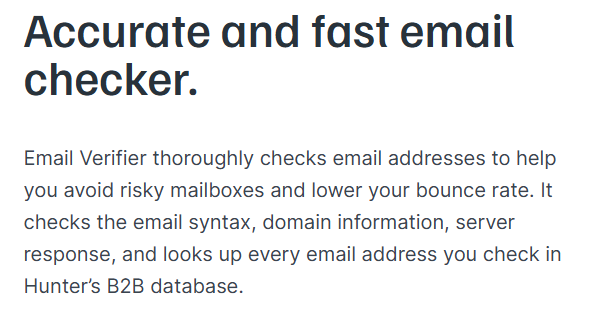
Hunter is well-known as an email finder, with a verifier that fits cleanly into the same workflow. It’s simple, fast to use, and ideal when you just need to confirm addresses before sending outreach, especially on small lists. It’s not the deepest verification engine, but the convenience makes up for it.
Best for: Marketers and freelancers who already use Hunter for lead discovery.
Key features:
- Bulk and single verification
- Real-time verification API
- Status outputs for valid, invalid, and accept-all
- SMTP and MX server checks
Pricing: Free plan includes 50 verifications/month. Paid plans start at $34/month (shared credits).
| Pros | Cons |
| Very easy to use and clean UI | Verification credits shared with finder credits |
| Stable accuracy for common domains | Less depth than dedicated verifiers |
| Great quick-check workflow | Not ideal for massive list cleaning |
User score: G2: 4.4/5
6) Emailable
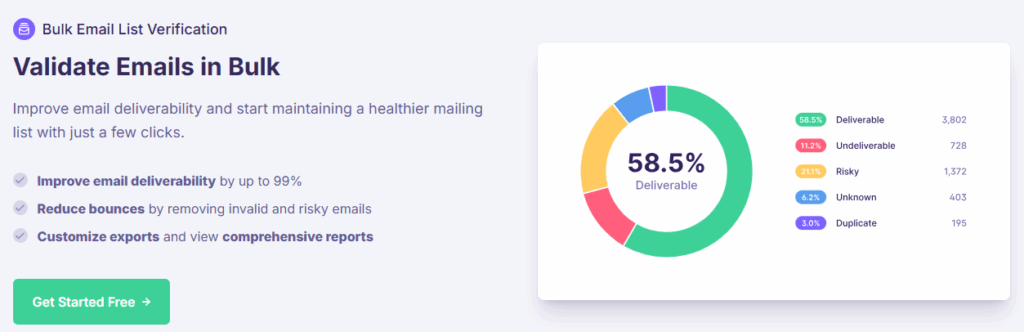
Emailable emphasizes speed and simplicity, which makes it easy to plug into existing systems without overthinking setup. It’s flexible enough for bulk cleaning, API-based validation, or form-level capture filtering. The free trial is generous, which makes it attractive when testing multiple tools.
Best for: Teams who want fast, accessible verification with a low barrier to trying it.
Key features:
- Bulk list cleaning and real-time API
- Detects disposable, catch-all, and role-based domains
- Domain-level and mailbox-level health signals
- Form widget for live validation
Pricing: Free trial with 250 credits. Pay-as-you-go starts at $30 for 5,000 credits.
| Pros | Cons |
| Generous free test credits | Cost scales up for high-volume senders |
| Fast processing and clear workflow | Fewer deep deliverability diagnostics |
| Easy to implement in forms | Interface is straightforward but minimalistic |
User score: G2: 4.8/5
7) Clearout
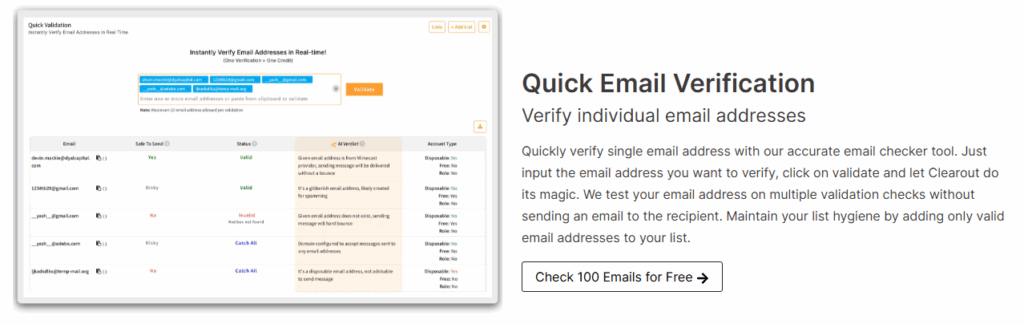
Clearout focuses on thorough validation and compliance, making it a strong fit for organizations that need both accuracy and auditability. It’s a good choice when verifying data sourced from multiple lead channels where quality varies. The Sheets add-on is a nice touch for teams with spreadsheet-driven workflows.
Best for: Companies that value data security and detailed validation reporting.
Key features:
- Bulk and real-time verification
- 20+ validation checks, including spam trap and greylisting detection
- Detects disposable, catch-all, and role-based emails
- Google Sheets add-on
Pricing: Free trial with 100 credits. Pay-as-you-go starts at $21 for 3,000 credits.
| Pros | Cons |
| Strong validation depth | UI has a learning curve |
| SOC 2 + GDPR compliant | Results take more interpretation |
| Useful Sheets integration | Not the cheapest option for occasional use |
User score: G2: 4.7/5
8) Bouncer
BouncerTV: Merchant’s Nightmare
Bouncer is built around accuracy, privacy, and sender reputation protection. Its “toxicity” scoring helps you avoid high-risk emails that can quietly damage your domain standing, something most verifiers don’t highlight. It’s also fully EU-based and compliant, which matters for regulated businesses.
Best for: Teams that want to avoid spam traps and reputation damage, not just remove invalid emails.
Key features:
- Bulk and real-time verification
- “Toxicity” scoring to flag risky addresses
- Strong catch-all domain checking
- Optional inbox placement + DMARC tools
Pricing: Free trial with 100 credits. Pay-as-you-go starts at $20 for 5,000 credits.
| Pros | Cons |
| Excellent at detecting risky or trap emails | Higher cost than simpler cleaners |
| Fully GDPR compliant and EU hosted | Deliverability tools use extra credits |
| Accurate on corporate / cloud inboxes | Can feel “advanced” for casual users |
User score: G2: 4.8/5
9) MillionVerifier
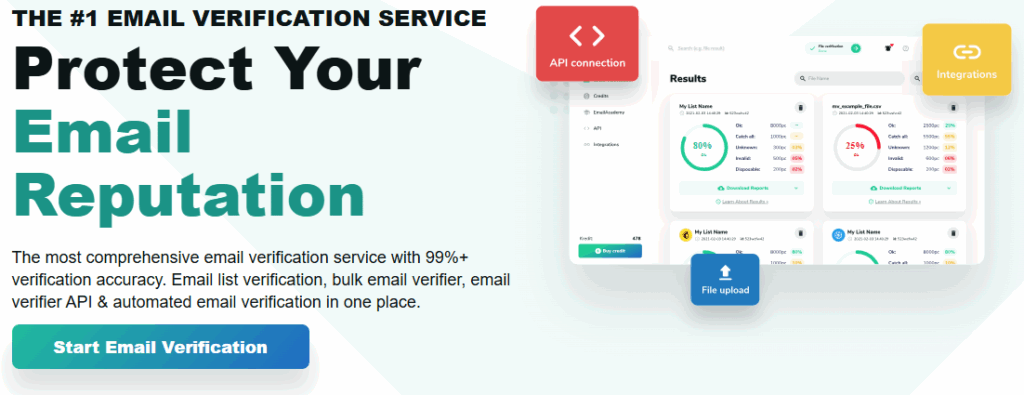
MillionVerifier is optimized for bulk senders and long-term list maintenance. Credits never expire, which is rare, meaning you can clean lists whenever you need without being locked into subscriptions. The UI is basic, but the value is strong for large senders.
Best for: Budget-conscious senders who run periodic or high-volume list cleaning.
Key features:
- 99% accuracy guarantee (<1% bounce rate)
- Bulk cleaning + real-time checks
- Credits never expire
- Recurring “EverClean” maintenance option
Pricing: Pay-as-you-go starts at $37 for 10,000 credits.
| Pros | Cons |
| Extremely cost-effective at scale | Interface is plain and functional |
| Credits don’t expire | Fewer advanced verification layers |
| Accuracy guarantee included | Not designed for detailed reputation analysis |
User score: G2: 4.6/5
10) MailerCheck
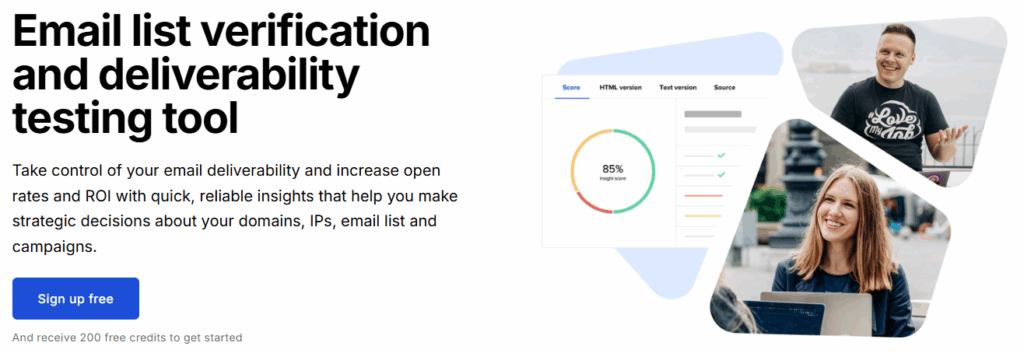
MailerCheck comes from the team behind MailerLite, and it focuses on keeping deliverability healthy for senders already using modern newsletter tools. The interface is friendly, and everything feels approachable: upload a list, scan it, and review clear categories of risky, invalid, and catch-all emails. It also includes inbox placement testing, which helps you understand where your emails are actually landing.
Best for: Senders who want verification and basic deliverability checks without switching platforms.
Key features:
- Bulk and real-time verification
- Inbox placement testing (inbox vs. spam vs. promotions)
- DMARC + BIMI checker
- IP/domain blocklist monitoring
Pricing: Free plan with 200 credits/month. Pay-as-you-go starts at $45 for 5,000 credits.
| Pros | Cons |
| Inbox placement testing included | Fewer integrations outside MailerLite ecosystem |
| Clear, easy-to-read verification results | Higher starting price than similar tools |
| Good built-in deliverability checks | Less appeal if you don’t use MailerLite |
User score: G2: 4.7/5
11) Skrapp.io
Skrapp.io is best known as a LinkedIn email finder, with a verifier baked into the workflow. It’s designed for fast, practical prospecting: find a batch of leads, verify them, export, and outreach. The verification itself is straightforward. not the deepest or most diagnostic, but very convenient if you’re already sourcing leads in LinkedIn.
Best for: Recruiters and outbound teams who prospect directly from LinkedIn.
Key features:
- Bulk and single email verification
- Chrome extension for real-time LinkedIn verification
- Domain and SMTP response checks
- B2B lead database and enrichment tools
Pricing: Free plan with 200 verifications/month. Paid plans start at $37/month.
| Pros | Cons |
| Simple to use in LinkedIn workflows | Verification is secondary to lead finding |
| Good free plan for smaller teams | Fewer checks for spam traps and risky mailboxes |
| Smooth Chrome extension workflow | Not ideal for large-scale list cleaning |
User score: G2: 4.2/5
12) Kickbox
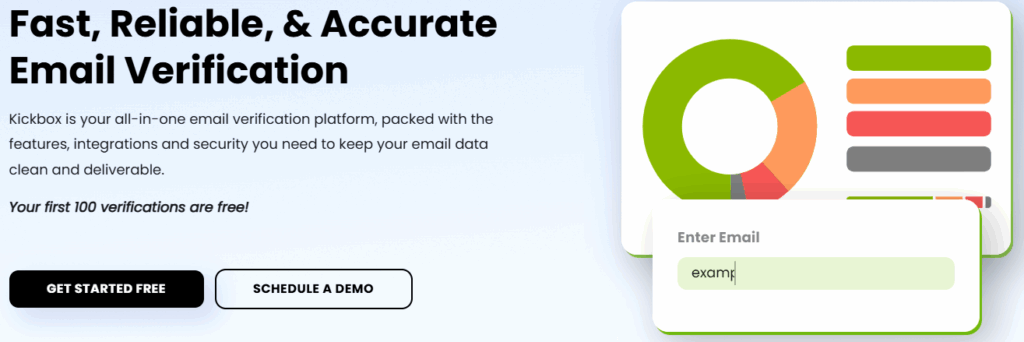
Kickbox is a long-standing verification service trusted by technical teams who want strong API performance and stable accuracy. The UI is a bit more utilitarian, but the platform is reliable, transparent, and well-documented. It’s often chosen by SaaS teams integrating real-time verification into signup flows.
Best for: Developers and technical teams prioritizing stability and clear API integration.
Key features:
- Bulk and real-time verification
- 99.5% deliverability guarantee
- Identifies disposable and role-based emails
- Strong API documentation and compliance controls
Pricing: Pay-as-you-go starts at $10 for 1,000 credits.
| Pros | Cons |
| Very reliable, “known quantity” accuracy | UI feels more technical than user-friendly |
| Excellent API and documentation | Costs slightly more per credit than some competitors |
| Wide ESP and CRM integration support | Fewer convenience features for non-technical users |
User score: G2: 4.5/5
13) Apollo.io
Apollo.io is primarily a full-scale sales intelligence and outreach platform, with email verification built directly into its lead discovery workflow. The verifier is more of a supporting feature, but the convenience is unbeatable if you’re already pulling contacts from its database. It works best when verification is one step in an outbound sequence, not a standalone action.
Best for: Outbound sales teams running prospecting + sequencing inside one platform.
Key features:
- Email verification included with contact credits
- Bulk and single-list cleaning
- Massive B2B database (275M+)
- Sequencing + dialer + CRM layer
Pricing: Free plan has limited credits; paid plans start at $39/user/month.
| Pros | Cons |
| Verification happens inside list-building workflow | Verification is less detailed than dedicated tools |
| Massive B2B contact dataset | Overkill if you just want to clean lists |
| Strong integration with sales CRMs | Can feel complex for non-sales users |
User score: G2: 4.8/5
14) GetProspect
GetProspect offers a finder + verifier bundled together, with a strong emphasis on LinkedIn-based contact sourcing. The verifier is simple but dependable for light-to-moderate use. The main appeal is convenience: find leads → verify → export → outreach.
Best for: Individuals and small teams doing targeted LinkedIn prospecting.
Key features:
- Bulk and real-time verification
- LinkedIn Chrome extension for contact capture
- B2B contact database and enrichment
- Status-based email validity outputs
Pricing: Free plan with 50 valid emails/month. Paid plans start at $34/month.
| Pros | Cons |
| Easy for LinkedIn-centric workflows | Verification lacks depth for large-scale cleaning |
| Good for smaller prospect lists | Accuracy can vary across corporate domains |
| Simple UI and workflow | Not designed for heavy list hygiene work |
User score: G2: 4.1/5
15) Voila Norbert
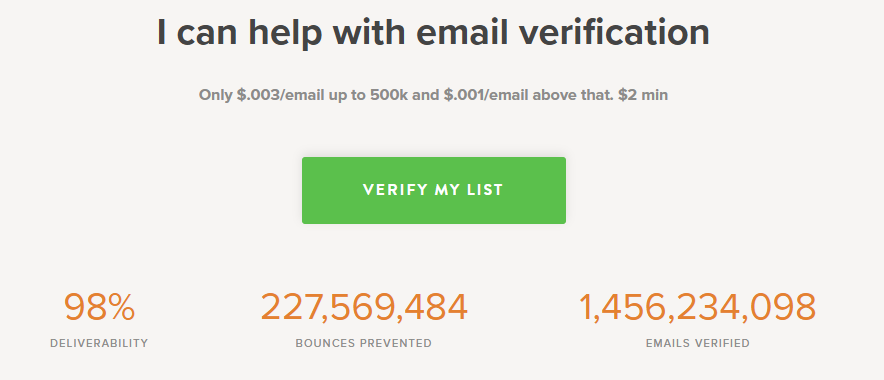
Voila Norbert is a simple finder + verifier known for being lightweight and approachable. The verifier is easy to use and affordable, especially on pay-as-you-go. It’s best for teams who need a clean workflow to find → verify → export without extra features getting in the way.
Best for: Individuals and sales reps who prioritize simplicity and predictable verification costs.
Key features:
- Bulk and single verification
- Integrated with its finder and enrichment tools
- Clear validity status codes
- Chrome extension available
Pricing: Verification-only credits start at $20 for 10,000 credits.
| Pros | Cons |
| Very simple and user-friendly | Limited depth of spam-trap or risk analysis |
| Affordable pay-as-you-go model | Feature set is intentionally minimal |
| Good for predictable small-batch verification | Not suited for large operational email teams |
User score: G2: 4.6/5
How to choose the right email verification tool
There isn’t one “best” verifier for everyone. Each tool is doing the same basic job (checking whether an email is worth sending to), but the way they handle validation, pricing, and integrations varies.
Here are the factors that actually matter when choosing:
1. Accuracy and depth of checks
Every verifier checks syntax and domain records.
The real differences show up in how they handle:
- Spam traps
- Disposable email providers
- Catch-all domains
- Role-based inboxes (info@, sales@, admin@, etc.)
If you send cold email, these matter a lot. But, if you only send newsletters to opt-in lists, they matter less.
2. Speed
If you clean lists occasionally, processing time won’t change your life. On the other hand, if you’re cleaning large outbound lists daily, speed matters.
For example:
- NeverBounce and Emailable are known for being fast
- ZeroBounce and Bouncer are thorough, which can take a bit longer
3. Integrations
Think about where the cleaning needs to happen:
- Inside your ESP (Mailchimp, HubSpot, MailerLite)
- Inside your CRM (Salesforce, Pipedrive, etc.)
- At the point of capture (forms, popups, LinkedIn extensions)
- In your outreach platform (Snov.io, Apollo.io)
If you have to export, clean, re-upload every time, the tool won’t get used.
4. Pricing model
There are generally two pricing patterns:
| Model | Best for | Notes |
| Pay-as-you-go | Occasional or batch cleaning | You pay only when you need it |
| Subscription | Daily sending or real-time verification | Better for SaaS or outbound sales teams |
The key is not overpaying for features you don’t use.
5. Compliance
If you handle customer data in regulated markets, look for:
- GDPR compliance
- SOC 2 (security audits)
- Data residency (EU vs US hosting)
For EU-based teams, Bouncer and Clearout stand out.
TL;DR: How to decide quickly
If you want:
- Cheapest bulk cleaning: MillionVerifier
- Balanced accuracy + price: EmailListVerify
- Deep deliverability diagnostics: ZeroBounce
- Fast processing + realtime workflows: NeverBounce
- All-in-one outreach workflow: Snov.io or Apollo.io
- LinkedIn prospecting + verifying: Skrapp.io or GetProspect
Final thoughts: Verification is step one, deliverability is the goal
Cleaning your email list is the first essential step to protecting your domain, reducing bounce rates, and keeping email providers from flagging you as a spam risk. Any of the email verification tools in this guide can help you remove invalid, disposable, and high-risk addresses before you send.
But a clean list alone doesn’t guarantee inbox placement.
To land in the inbox consistently, you also need:
- A strong sender reputation
- A steady and healthy sending pattern
- And a domain that inbox providers trust
That’s where Warmup Inbox can help.
If your domain is new, cold, or recovering from poor deliverability, Warmup Inbox gradually improves your reputation by sending structured, positive engagement signals across real inboxes so inbox providers learn to trust your messages again.
Verify your list → warm your domain → then send.
This two-step approach gives your emails the best chance to actually reach the inbox — not the spam folder.
[Try 7 days free]
FAQ
Why do emails still bounce even after I verify my list?
Because verification only removes invalid or risky emails. If your sender reputation is weak (new domain, inconsistent sending, past spam flags), inbox providers still may not trust you. That’s where warm-up tools matter.
What’s the difference between basic and advanced verification?
Basic verification checks syntax and domain records. Advanced verification also identifies spam traps, disposable inboxes, role-based emails, and catch-all servers, which is essential for cold outreach.
Can catch-all email addresses be verified?
Not reliably. Catch-all domains accept all mail, so verifiers can’t confirm whether the mailbox is active. Some tools score the risk level, but accuracy varies.
What is the most accurate email verification tool?
Accuracy changes depending on the source of your list and domain mix. The most consistently high performers in our tests were ZeroBounce, Emailable, Bouncer, and EmailListVerify.
Are email verification tools legal?
Yes, verification is legal. The legality depends on how the emails were obtained. If your list wasn’t collected ethically or with consent, cleaning it won’t fix the core issue.