16 Best Email Finder Tools to Build Your Outreach List in 2026
TL;DR
Cold outreach only works when two things happen at the same time: your emails reach the inbox and your contacts are valid. That means a warmed up domain and a verified list.
Here’s the quick rundown.
- Best for accuracy and deliverability: Hunter, Apollo, Clearbit
- Best for LinkedIn based prospecting: ContactOut, Snov.io, Skrapp
- Best for budget or solo users: AnyMail Finder, Prospeo, GetProspect
- Best for enrichment and team workflows: Lusha, Clearbit, FindThatLead
No list is good enough to perform if you start sending from a cold domain. Use Warmup Inbox before your first campaign to build trust and protect your sender reputation.
————————-
Most teams hit the same two problems in outreach. The first is obvious. You need accurate contact data or your emails bounce before anyone sees them. The second is easier to miss. A cold domain with no sending reputation can make your messages disappear into spam even when your list is clean. Smart outreach begins with two steps:
- First, build a strong sender reputation.
- Then, use a reliable finder to build your list.
A strong outreach process always starts with warming up your domain. Once inbox providers trust your activity, your finder tool actually has a chance to deliver results.
Key takeaways
- Cold outreach fails without proper warm-up even with a perfect list
- Verified emails protect your domain and improve response rates
- We looked at 16 tools to compare performance in real-world conditions
- Pair your finder with Warmup Inbox to build trust and avoid spam folders
Why you must warm up your inbox before sending
A cold or brand‑new inbox has no sending history. When you start outreach too quickly, spam filters see a risk and block or bury your messages. Even the best email finder tool cannot help if your domain is not trusted.
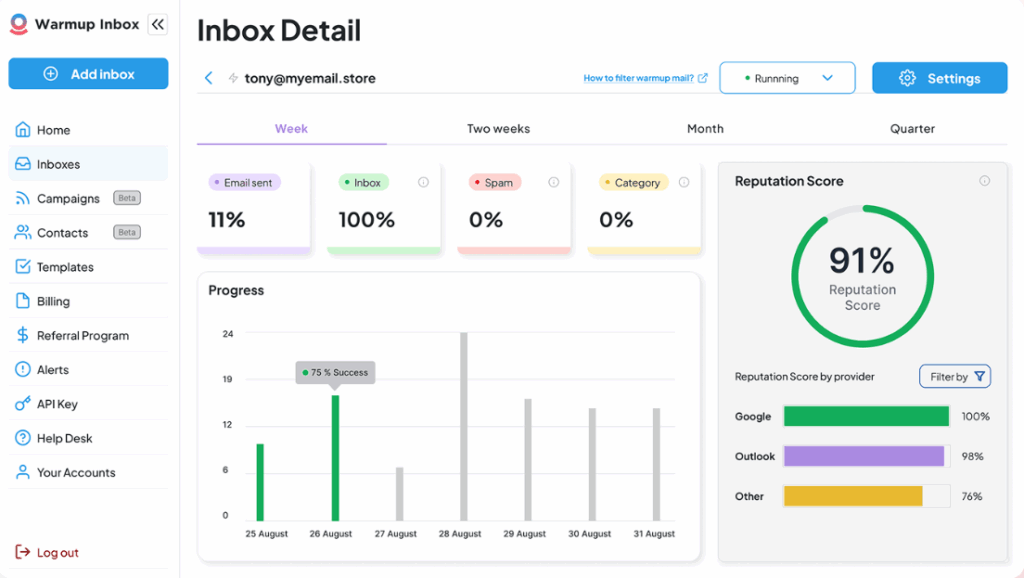
Warmup Inbox builds that trust for you. It creates natural engagement patterns with real inboxes so providers like Google and Outlook understand that your account is legitimate. Once your reputation is established, your outreach has a much better chance of reaching real people.
Best for: Anyone doing cold outreach or sending regular campaigns.
User score: G2 rating 4.5 out of 5
Pricing: Starts at $19/month per inbox
Key features:
- Automated warm‑up through real inbox interactions
- Natural sending patterns that resemble human behavior
- DNS checks for SPF, DKIM, and DMARC
- Blacklist and reputation monitoring
- Works with all email providers including Google, Outlook, Zoho, and SMTP
- Free tools including Email Validator, Blacklist Checker, AI Email Writer, and more
| Pros ✅ | Cons ❌ |
| Improves inbox placement and open rates | Adds an extra monthly cost |
| Fully automated and easy to run in the background | Takes one to two weeks for a full warm‑up |
| Helps prevent blacklisting | |
| Works with any major provider |
If you want your outreach campaigns to land consistently, warm up your sending domain before you do anything else. Try Warmup Inbox to build a healthier reputation and give your emails a better chance of reaching real people.
[Start your free trial]
The 16 best email finder tools in 2025
Below is a breakdown of each tool, what it does well, and where it might fall short. But first, get the quick facts with our comparison table.
| Tool | Key features | Best for | Entry pricing |
| Hunter.io | Domain search, email finder, verification, outreach tools, Chrome extension | Mid-sized teams needing an all-in-one finder and verifier | $34/month (annual) |
| Snov.io | Email finder, verifier, LinkedIn extension, built-in CRM, outreach sequences | Freelancers and small teams wanting find + verify + send in one tool | $30/month (annual) |
| AeroLeads | LinkedIn and directory scraping, enrichment, CRM sync, real-time data | Small sales or recruiting teams doing manual LinkedIn prospecting | $49/month |
| Skrapp.io | LinkedIn email finder, bulk search, domain search, 150M database | SDRs and recruiters focused on LinkedIn profiles | $37/month (annual) |
| GetProspect | LinkedIn extension, database access, reverse lookup, bulk tools | Users building segmented lists with basic enrichment | $34/month (annual) |
| LeadFuze | Automated list building, double-verified data, Fuzebot updates, CRM sync | Teams wanting automated lead generation at scale | $147/month |
| ContactOut | Personal + work email discovery, LinkedIn extension, 800M database | Recruiters and sales teams needing harder-to-find emails | $25/month (annual) |
| Lusha | Email and phone data, intent signals, AI prospecting, CRM integrations | Outbound sales teams needing phones + verified emails | $22.45/month (annual) |
| Kaspr | EU-focused data, LinkedIn capture, real-time verification, automation | EU-based teams needing GDPR-safe LinkedIn prospecting | $49/user/month |
| FindyMail | Valid-only email results, built-in verification, low bounce rates | Agencies needing high deliverability and clean data | $41/month (annual) |
| AnyMail Finder | Bulk discovery, pay-per-result billing, API access | Users who want simple bulk finding with verified-only charges | $9/month |
| Prospeo | Quick lookup, no-account searches, extension, verifier | Low-volume users and freelancers needing simple searches | $27/month (annual) |
| Voila Norbert | Single and bulk search, confidence scores, integrations | Targeted outreach focused on business email accuracy | $39/month (annual) |
| RocketReach | 700M+ database, multi-source profiles, phones + emails, API | Enterprise teams needing deep datasets across tech and startup roles | ~$36/month (annual) |
| FindThatLead | Multi-channel prospecting, bulk tools, simple outreach, extension | Small teams wanting finding + basic campaigns in one tool | $41/month (annual) |
| Clearbit | Enrichment, visitor reveal, audience building, CRM integrations | Mid-market and enterprise teams needing real-time firmographic insight | Custom pricing |
1. Hunter.io
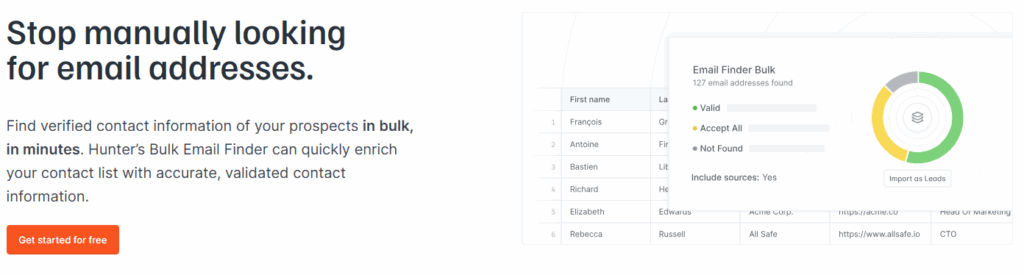
Hunter is a solid all-rounder for email discovery and verification. You can search by domain, by person’s name and company, or bulk upload lists. It also includes a full outreach module so you can launch campaigns right in the platform.
Best for mid-sized marketing or sales teams who run regular cold email campaigns and want a one-platform workflow for list building, verification and sending.
Skip it if you operate at high volume across many regions and need unlimited credits or deep phone data.
User score: G2 rating of 4.4/5
Key features:
- Domain search: Get all available email addresses linked to a specific domain.
- Email finder: Find a person’s email using their name and company.
- Author finder: Pull contact info for the writer of a specific article.
- Bulk finder + verifier: Upload CSVs to find and verify emails at scale.
- Confidence scores: See the likelihood of deliverability before sending.
- Source transparency: Know where every email came from.
Pricing:
Free plan includes 50 credits/month. Paid plans start at $34/month (billed annually) for 24,000 credits/year.
| Pros ✅ | Cons ❌ |
| Easy to use with a clean interface | Limited LinkedIn support via browser extension |
| Confidence scores and clear source tracking | Credit-based model can get restrictive if you scale. Many users feel they hit caps sooner than expected. |
| High deliverability rates thanks to built-in verification |
2) Snov.io
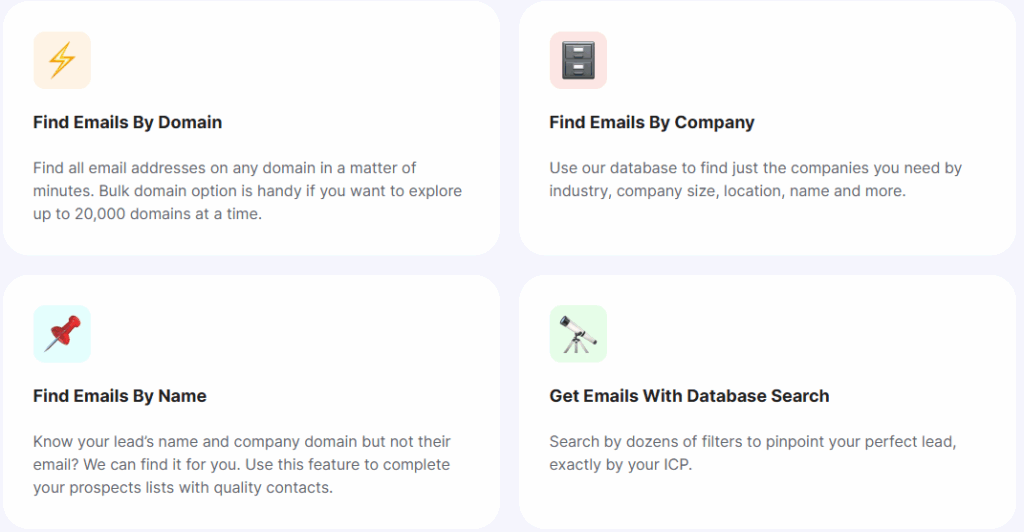
Snov.io combines email finding, verification and outreach into a single platform. It supports domain and LinkedIn-based lookups, bulk list processing, and built-in CRM features. For small teams and freelancers looking to handle prospecting and sending from one place, it’s a practical option.
Best for freelancers, growth marketers or small sales teams that want to both build lists and run campaigns without managing multiple tools.
Skip it if you expect enterprise-scale volume, need highly refined segmentation across dozens of market regions, or want ultra-deep phone-level data.
User score: G2 rating of 4.5/5
Key features:
- Email finder and verifier: Searches single emails, domains, and bulk lists with a multi-step verification process.
- Chrome extension: Captures email addresses directly from websites, LinkedIn profiles, and LinkedIn search results.
- Built-in CRM and outreach tools: Lets you store leads, create sequences, send drip campaigns, and track engagement inside one platform.
- Verified B2B database: Allows filtering by job title, industry, company size, location, technology stack, and more.
Pricing:
Free trial with 50 credits. Paid plans start at $39/month (annually).
| Pros ✅ | Cons ❌ |
| Everything in one place: find, verify, outreach | Credit-based model still has limits, and usage can scale cost quickly |
| Affordable entry level | Interface may feel complex for beginners |
| Good LinkedIn support via extension | Some features overlap and reduce clarity |
3) AeroLeads
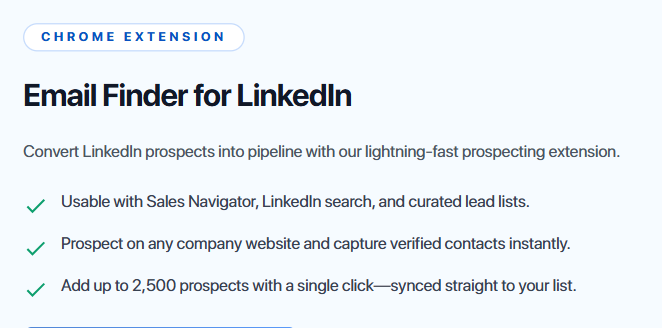
AeroLeads is a prospecting and enrichment tool built for teams that source contacts directly from LinkedIn and other business directories.
It pulls verified emails, phone numbers, job titles, and company details using its Chrome extension, then lets you export everything into your CRM without extra steps. It’s built for users who prospect manually and want a simple way to capture and export contacts without heavy automation.
Best for small sales or recruiting teams that rely heavily on LinkedIn sourcing and want fast, profile-based email discovery.
Skip it if you need large-scale automated list building or high-volume credits at a low price.
User score: G2 rating 4.0 out of 5.
Key features:
- Chrome extension: Pulls contact data from LinkedIn, Crunchbase, AngelList and similar sites in real time.
- Contact enrichment: Adds business emails, phone numbers, titles, locations and company details to each prospect.
- Bulk list management: Import or export prospect lists with CSV, or sync directly to Salesforce, HubSpot or Mailchimp.
- Lead database: Stores all captured contacts in one dashboard with filtering and tagging options.
Pricing:
Starts at ~$40/month for 2,000 credits/month.
| Pros ✅ | Cons ❌ |
| Easy workflow for LinkedIn-based prospecting | Limited credits on lower plans |
| Captures emails, phones and enrichment details | No permanent free plan |
| Exports cleanly to major CRMs | Can feel pricey for high-volume usage |
4) Skrapp.io
Skrapp.io focuses on LinkedIn-based email discovery. It works best when paired with its Chrome extension, which scrapes emails from LinkedIn profiles and company pages.
The tool is straightforward and easy to use, but its accuracy can vary depending on the industry. It’s a good fit for SDRs doing manual prospecting rather than automated workflows.
Best for sales reps and recruiters who prospect primarily on LinkedIn and want a straightforward email finder that stays out of the way.
Skip it if you need large database coverage outside LinkedIn or higher accuracy for niche industries.
User score: G2 rating of 4.3/5
Key features:
- LinkedIn extension: Pull verified emails directly from LinkedIn profiles using Sales Navigator or Recruiter.
- Bulk email finder: Upload lists of names and companies to find emails at scale.
- Domain search: Discover all emails associated with a specific company website.
- B2B contact database: Search over 150 million verified professional profiles.
Pricing:
Free plan with 100 credits/month. Paid plans start at ~$45/month (billed annually).
| Pros ✅ | Cons ❌ |
| Excellent for LinkedIn-based prospecting | Smaller database than some competitors |
| Easy-to-use interface | Occasional bugs reported |
| Unused credits roll over |
5) GetProspect
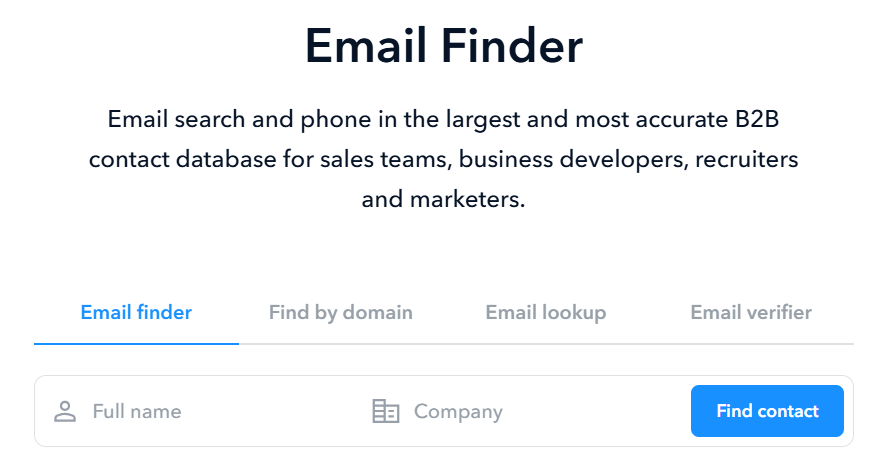
GetProspect is another LinkedIn-first finder with a stronger emphasis on filtering. You can build targeted lists by job title, location or company, then pull emails directly from profiles through the browser extension.
It also includes basic CRM features and reverse email lookups, which give you more context on existing contacts.
Best for users who want simple LinkedIn sourcing plus the ability to enrich or expand existing email lists.
Skip it if you need consistently high accuracy across all industries or want a more modern interface.
User score: G2 rating of 3.5/5
Key features:
- B2B database: Access 230M+ verified email addresses.
- LinkedIn extension: Find and export emails while browsing LinkedIn.
- Reverse email lookup: Enter an email to discover job titles, companies, and more.
- Bulk tools: Use bulk domain search or email finding to scale your lead list quickly.
Pricing:
Free plan with 50 valid emails per month. Paid plans start at $34/month (billed annually).
| Pros ✅ | Cons ❌ |
| Reverse lookup adds practical enrichment value | Interface feels a bit outdated |
| Generous free plan | Lower data accuracy than some rivals |
| Supports simple list building without a steep learning curve |
6) LeadFuze
LeadFuze is an AI-powered lead generation platform built for high-volume B2B teams. Instead of finding leads one by one, you set filters for industries, job roles or target accounts, and the platform automatically fills your list with fresh contacts.
Its database is large and double-verified, which improves data accuracy and reduces bounce rates. The standout feature is Fuzebot, an automated system that keeps adding leads to your lists every day.
Best for sales and marketing teams that want automated list building with minimal hands-on prospecting.
Skip it if you’re working with tight budgets or need flexibility in how credits are used across multiple projects, or if you just simple need email finding.
User score: G2 rating of 4.6/5.
Key features:
- Market and account searches: Build lists by industry, company size, role, location or specific account lists.
- Automatic list building: Fuzebot delivers new verified leads daily based on your filters.
- Verified contact data: Includes personal and work emails plus phone numbers with double verification.
- Unlimited lists: Create as many prospect lists as you want and export them to CSV or your CRM.
Pricing:
Custom pricing.
| Pros ✅ | Cons ❌ |
| Automated list building saves a lot of time | Non-transparent pricing information |
| Large and accurate B2B database | Higher overall cost than similar tools |
| Strong CRM integrations | Some users report support and billing issues |
7) ContactOut
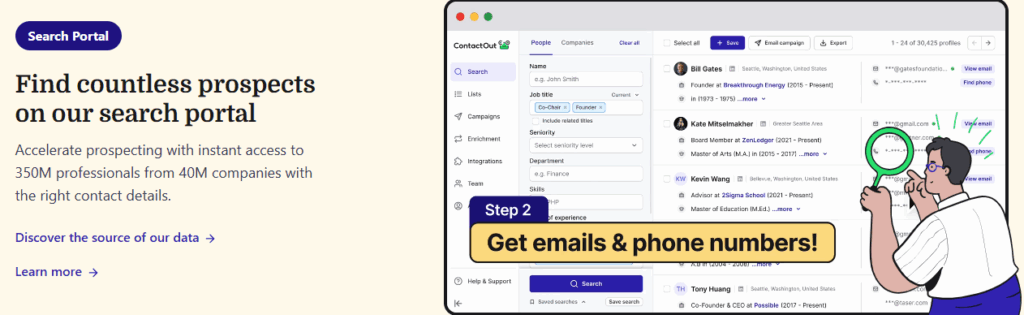
ContactOut is known for finding personal and work emails that many other platforms miss. It has one of the stronger LinkedIn extensions on the market, and it performs especially well for tech, healthcare and academic profiles.
Many teams use it specifically because it pulls multiple email options per profile, which increases the chance of reaching someone directly.
Best for recruiters, sales reps and researchers who need personal email data or want deeper coverage when LinkedIn profiles list limited information.
Skip it if you are working at scale and need generous credit limits or broad database reach outside LinkedIn.
User score: G2 rating of 4.5/5
Key features:
- Chrome extension: Find emails and phone numbers directly from LinkedIn profiles.
- Search portal: Explore a massive database with over 800 million profiles.
- AI message writer: Draft personalized outreach messages quickly.
- Data enrichment: Fill in missing contact details using verified data.
Pricing:
Free plan available with 5 emails/day. Paid plans start at $25/month (billed annually).
| Pros ✅ | Cons ❌ |
| Often finds personal emails most other tools miss | Export limits apply, even on paid plans |
| Large, well-maintained database | “Unlimited” plans still include usage thresholds that can surprise high-volume users |
| AI writing assistant saves time | Limited functionality outside LinkedIn-centric workflows |
8) Lusha
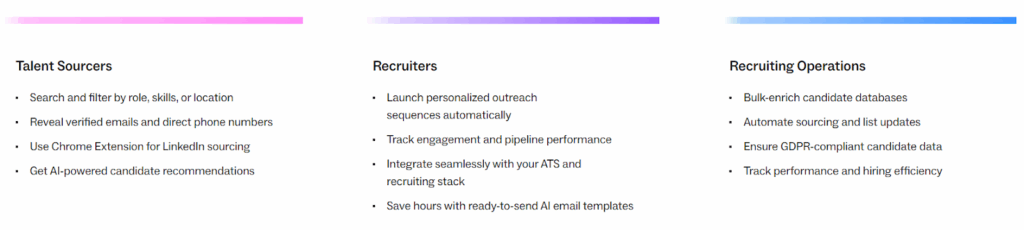
Lusha is widely used in sales teams for fast enrichment and direct dial data. It integrates cleanly with LinkedIn and Salesforce, and its phone number accuracy is one of the stronger points compared with tools that focus only on email.
North American data coverage is especially strong, which makes it a common choice for US-based prospecting.
Best for outbound sales teams that need verified emails and phone numbers, plus direct integration into CRMs like Salesforce.
Skip it if your target market is heavily outside North America or you need cost-efficient usage at high volume.
User score: G2 rating of 4.3/5
Key features:
- B2B database: Access verified data on 135 million+ contacts.
- Chrome extension: Find contact info while browsing LinkedIn or company websites.
- AI prospecting: Get lead recommendations based on your ideal customer profile.
- Buying intent signals: Target prospects who are more likely to convert.
Pricing:
Free plan with 40 credits/month. Paid plans start at ~$30/month (billed annually).
| Pros ✅ | Cons ❌ |
| Strong phone data and reliable North American coverage | Credit limits shrink quickly for teams doing high-volume outreach |
| User-friendly interface with quick enrichment | Some industries have thinner data |
| AI suggestions help build smarter lists |
9) Kaspr.io
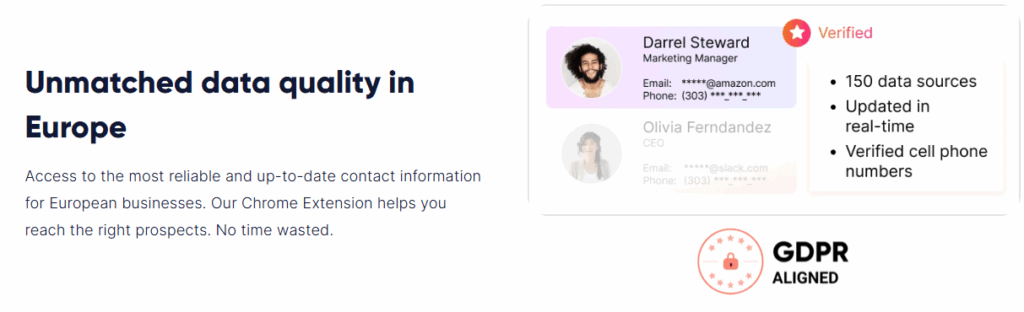
Kaspr is built for European LinkedIn prospecting and tends to perform better than many US-centric tools in France, Germany and neighboring markets.
The Chrome extension identifies emails and phone numbers in real time, and the workflow automation lets you push new contacts directly into your CRM without babysitting the process. It’s a practical option for teams that want GDPR-aligned sourcing and more reliable EU data.
Best for EU-based sales or recruiting teams that prospect on LinkedIn and need verified local data with compliance in mind.
Skip it if you want the lowest price per contact or need refined datasets outside Europe.
User score: G2 rating of 4.4/5
Key features:
- LinkedIn integration: Use the Chrome extension to pull emails directly from profiles.
- Live verification: Real-time confirmation of email accuracy before credits are spent.
- Workflow automation: Automate outreach tasks and CRM syncing.
- B2B database: Search from a pool of 500 million+ professional contacts.
Pricing:
Free plan includes 15 email credits/month. Paid plans start at ~$50/user/month.
| Pros ✅ | Cons ❌ |
| Strong alignment with EU data sourcing and GDPR requirements | Higher price point compared to similar LinkedIn-focused tools |
| Smooth LinkedIn extension and fast contact capture | Interface could be more polished |
| Reliable email and phone data for Western Europe | Data quality is uneven for markets outside Europe |
10) FindyMail
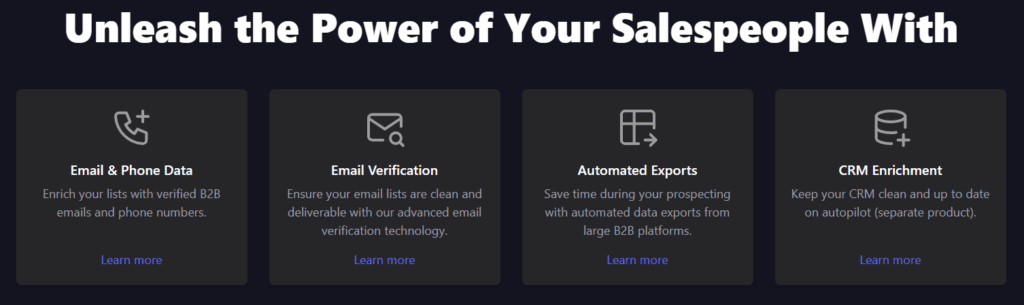
FindyMail focuses on deliverability above everything else. Instead of guessing formats or returning “catch-all” results, it verifies each email before sending it to you. This produces a lower volume of results than broader scrapers, but the quality is consistently strong.
Agencies and teams with strict deliverability standards rely on it specifically to avoid wasting credits on invalid or risky emails.
Best for agencies, consultants or anyone who needs dependable, low-bounce data and doesn’t want to pay for unverified results.
Skip it if you prioritize raw volume or want a full outreach suite.
User score: G2 rating of 4.9/5
Key features:
- Email finder: Returns only deliverable emails, reducing bounce risk.
- Verification: Built-in checker verifies deliverability before you’re charged.
- Lead sourcing: Scrape contacts from Sales Navigator and Apollo using built-in tools.
- Automation support: Integrates with Zapier, Make, or custom workflows via API.
Pricing:
Starts at $41/month with 2 months free (when billed annually) for 1,000 verified emails.
| Pros ✅ | Cons ❌ |
| Only pay for valid, deliverable emails | No forever-free plan |
| Low bounce rates and strong deliverability reputation | Smaller feature set compared to all-in-one platforms |
| Unused credits roll over to the next month | Not designed for users who want maximum volume or broad database scraping |
11) AnyMail Finder
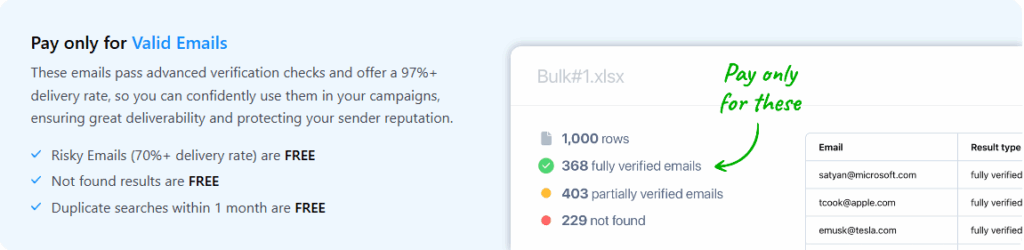
AnyMail Finder is for users who care more about verified results than flashy features. It focuses on bulk list processing and pay-per-result billing, meaning you only spend credits on emails that are actually deliverable.
It’s a straightforward tool that does one job reliably: returning clean, usable email addresses at scale.
Best for small teams, freelancers or data-oriented users who want to pay only for verified contacts without managing a large tool stack.
Skip it if you need enrichment data, deep integrations or an all-in-one outreach platform.
User score: G2 rating of 3.4/5
Key features:
- Simple UI: Search for emails one-by-one or upload lists in bulk.
- Pay-per-result: You’re only charged when the email is verified and deliverable.
- API access: Build custom workflows, but limited native integrations.
Pricing:
Starts at $89/year (billed annually) for 600 credits.
| Pros ✅ | Cons ❌ |
| Only pay for verified emails | No database or advanced features |
| Very affordable entry tier billed annually | Few native integrations compared to more modern platforms |
| Simple interface that’s easy to use for batch processing |
12) Prospeo.io
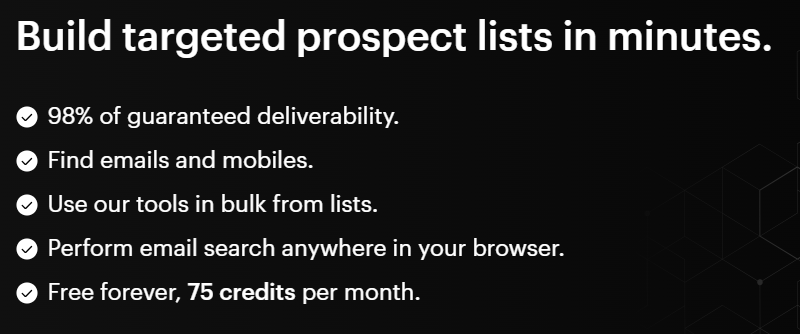
Prospeo is a lightweight email finder built for quick, one-off lookups and small-batch searches. It’s one of the few tools that lets you run individual searches without creating an account, which is convenient for users who need occasional contact data rather than daily prospecting.
Its Chrome extension is fast, and the platform stays intentionally minimal.
Best for freelancers, students or solo operators who need basic email finding without committing to a monthly contract.
Skip it if you need bulk tools, advanced enrichment or automated workflows.
User score: G2 rating of 4.5/5
Key features:
- Free instant lookup: Run single searches instantly without an account.
- Chrome extension: Capture emails while browsing LinkedIn or company sites.
- Email verifier: Check accuracy in real time.
- Domain search: Pull emails associated with specific company websites.
Pricing:
Free plan with 75 email credits/month. Paid plans start at $27/month (billed annually).
| Pros ✅ | Cons ❌ |
| Generous free plan for low volume users | No true bulk search functionality |
| Use without creating an account | Accuracy is average compared to larger databases |
| Fast, minimal interface that avoids extra complexity | Limited features beyond basic lookup and verification |
13) Voila Norbert
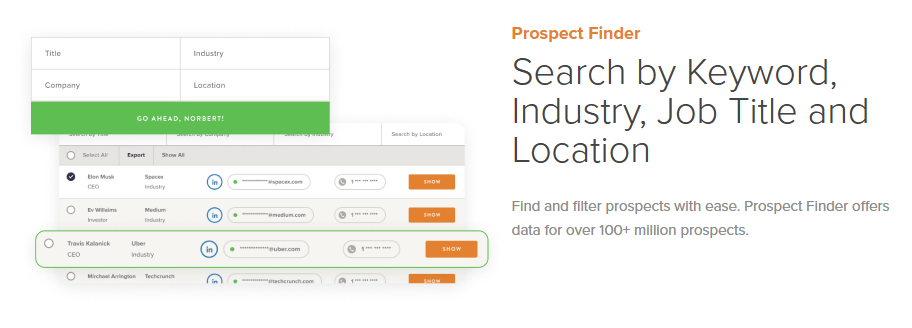
Voila Norbert focuses on clean, single-contact lookups and small- to medium-sized bulk searches. It’s known for solid accuracy on business domains and a very simple workflow: enter a name and company, get a verified email with confidence scoring and source notes.
It’s less about large-scale scraping and more about returning reliable, high-quality results one lead at a time.
Best for solo users, consultants and agencies that do targeted outreach and want consistent accuracy on business emails.
Skip it if you need a large B2B database, high-volume scraping or advanced enrichment tools.
User score: G2 rating of 4.6/5
Key features:
- Single email finder: Enter a name and domain to retrieve a verified business email.
- Bulk search and verification: Upload lists to find and verify emails at scale.
- Confidence scoring: Each email includes a validity score and source information.
- Integrations: Works with Zapier, major CRMs and a Chrome extension for quick lookups.
Pricing:
Free trial of 50 credits. Paid plans start at $39/month (annually).
| Pros ✅ | Cons ❌ |
| High accuracy especially for single lookups | Less suited for large volume lists |
| Easy setup and user‑friendly | Premium pricing when scaling beyond small batches |
| Confidence scoring provides transparency | Enrichment features are weaker compared to full-contact platforms |
14) RocketReach
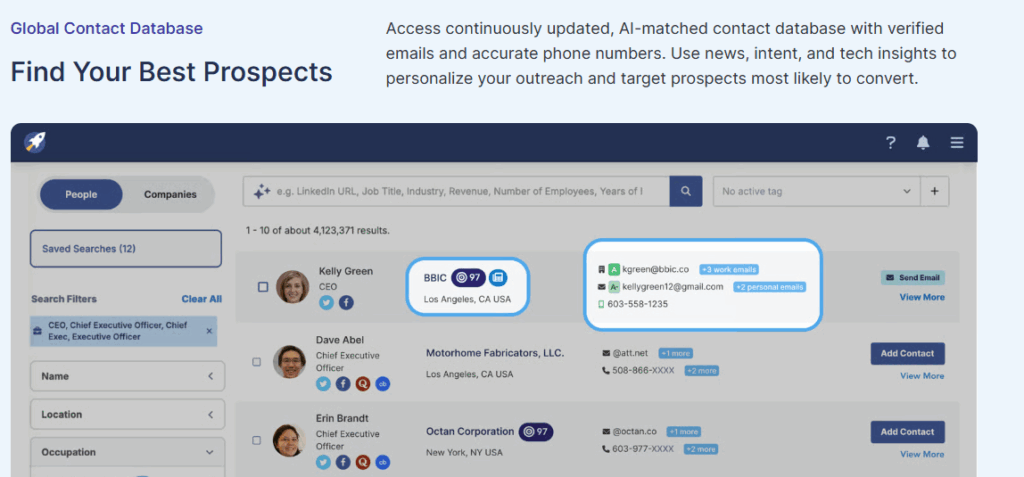
RocketReach is known for its depth, especially in tech, SaaS and startup ecosystems. Its database pulls from LinkedIn, Crunchbase, AngelList and other sources, giving it unusually complete contact profiles that include emails, phone numbers, social links and company details.
Many teams use it specifically to source accurate personal and work emails for hard-to-reach roles.
Best for enterprise teams, recruiters and sales orgs that need large, reliable datasets with both email and phone coverage.
Skip it if you want a low-cost, credit-efficient tool or primarily prospect outside tech-heavy industries.
User score: G2 rating of 4.4/5
Key features:
- Massive B2B database: Over 700 million profiles with email and phone data.
- Advanced search: Narrow by seniority, company size, industry, location, role and more.
- Browser extension: Pull contact info directly from LinkedIn and company sites.
- Bulk lookups: Upload spreadsheets and retrieve verified emails at scale.
- API access: Integrates into custom pipelines and internal systems.
Pricing:
Starts around $19/month (billed annually), depending on usage.
| Pros ✅ | Cons ❌ |
| One of the largest and most accurate databases | EU and LATAM data can be less consistent than US/Canada coverage |
| Pulls both professional and personal emails | Interface can feel cluttered |
| Strong performance for tech and startup roles. |
15) FindThatLead
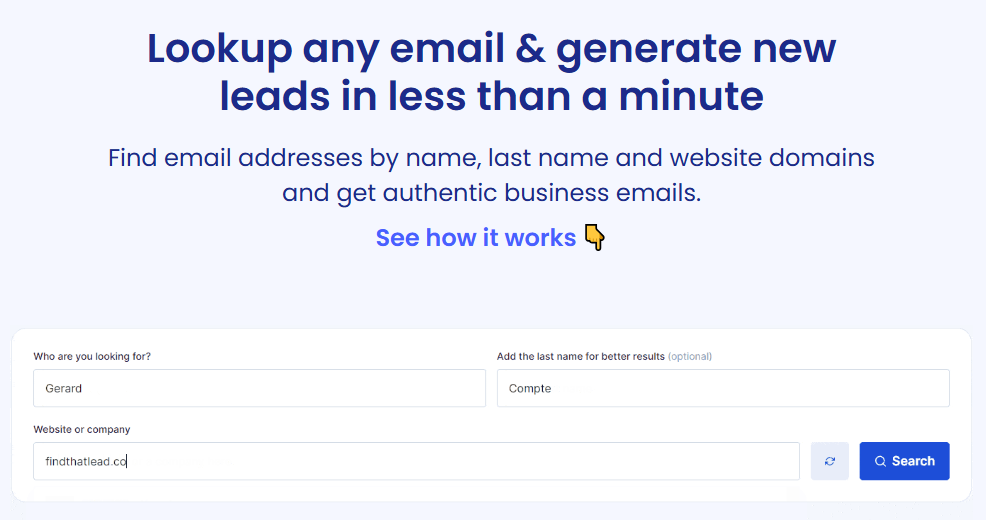
FindThatLead combines email finding with lightweight outreach features, making it useful for small teams that want to build lists and send basic campaigns from one place.
It supports domain search, social media search and bulk list uploads, and its Chrome extension is handy for quick prospecting across websites and social platforms. It’s a flexible mid-tier tool that balances affordability with utility.
Best for growth marketers and small sales teams that want prospecting, email discovery and basic campaign tools in one platform.
Skip it if you need advanced CRM integrations or highly accurate enrichment data.
User score: G2 rating of 4/5`
Key features:
- Email finder: Search by domain, individual names or social media profiles.
- Bulk tools: Upload CSV lists to find and validate emails at scale.
- Email campaigns: Create simple cold outreach campaigns directly inside the platform.
- Chrome extension: Capture emails while browsing websites and social platforms.
Pricing:
Free trial with 50 credits. Starts at ~$42/month (billed annually).
| Pros ✅ | Cons ❌ |
| Built-in cold outreach tools reduce reliance on external platforms. | Limited CRM integrations compared with more modern tools |
| Good for multi-channel prospecting | Interface can be clunky in certain views |
| Chrome extension speeds up manual prospecting | Data accuracy varies by industry and region |
16) Clearbit
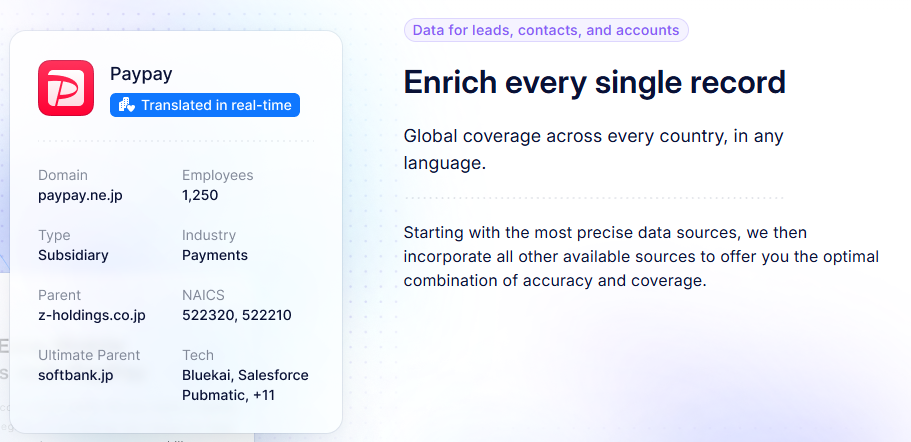
Clearbit is a full data enrichment platform rather than a traditional email finder. It enhances inbound leads, reveals anonymous website traffic and syncs enriched data into CRMs like Salesforce and HubSpot.
Email discovery is just one feature in a much larger system built for teams that need deep firmographic and technographic context for targeting.
Best for mid-market and enterprise teams that want advanced enrichment, detailed company intelligence and real-time data flowing into their CRM.
Skip it if you’re a small team or individual user who only needs straightforward email finding.
User score: G2 rating of 4.4/5
Key features:
- Data enrichment: Adds company size, industry, revenue, tech stack and role information to leads.
- Visitor reveal: Shows which companies are browsing your website in real time.
- Ad targeting: Create B2B audiences for ad platforms and targeted campaigns.
- CRM integration: Deep connections with Salesforce, HubSpot, Marketo and others.
Pricing:
Custom pricing only. Generally for mid-market or enterprise teams.
| Pros ✅ | Cons ❌ |
| Extremely rich enrichment and firmographic data | Expensive compared to standard email tools |
| Strong real-time insights for inbound and outbound teams | Not built for small teams or basic prospecting tasks |
| Excellent CRM integrations | Email discovery is secondary to enrichment, not the core of the product |
How to choose the right email finder tool
Picking the right email finder comes down to how you prospect, how accurate your data needs to be and how much volume you expect to handle. Here’s how to make a decision without wasting credits or adding tools you don’t need.
Accuracy and verification
If accuracy matters more than volume, choose a tool that verifies every address before giving it to you. Tools like FindyMail or AnyMail Finder only charge for deliverable emails, which protects your domain reputation and keeps bounce rates low.
If you’re running large-scale list building, tools like Hunter or RocketReach offer broad databases with built-in verification, but you’ll need to watch credit usage.
Your primary use case
Before you choose a platform, decide what your day-to-day prospecting actually looks like.
- If you do most of your sourcing on LinkedIn, choose tools like Snov.io, Skrapp, GetProspect or ContactOut.
- If you need automated lead generation, tools like LeadFuze or RocketReach handle the heavy lifting.
- If you want high-quality, low-bounce data, go with FindyMail or AnyMail Finder.
- If you need broader enrichment or phone numbers, Lusha or Clearbit perform better.
Integrations and workflow
Think about where your data goes after you find it.
If you rely on Salesforce, HubSpot or outreach platforms, look for tools with strong CRM integrations. Lusha, Clearbit, LeadFuze and AeroLeads move data cleanly into existing pipelines.
If you’re working solo, integrations may not matter. Simpler tools like Prospeo or Voila Norbert get the job done without a complex setup.
Compliance and data sourcing
If you’re prospecting in Europe or handling sensitive markets, GDPR compliance matters.
Tools like Kaspr and Clearbit offer clearer data sourcing and stronger controls for EU-based teams.
If your campaigns focus on the US or global tech markets, compliance won’t shape your decision as much.
Pricing and credit models
Email finders use very different billing systems.
- If you run high-volume searches, credit-based plans can get expensive quickly.
- If you only need a handful of contacts each week, free plans from Hunter, Skrapp, GetProspect or Prospeo might be enough.
- If you hate paying for bad data, pay-per-result platforms like FindyMail or AnyMail Finder give you predictable costs.
Final thoughts
Finding the right email addresses is only half the job. The quality of your outreach depends just as much on how you warm up your domain, how clean your data is and how consistent your sending patterns look to inbox providers.
The tools in this list cover a wide range of workflows, whether you prospect on LinkedIn, run automated lead generation, need deeper enrichment or simply want verified emails without wasting credits.
The best approach is to match the tool to your actual routine. If you’re doing manual sourcing, choose a LinkedIn-focused finder. If you want volume, choose a broad database tool. And if deliverability is your priority, use a finder that returns only validated results.
Regardless of which tool you pick, start by building a healthy sender reputation. A warm domain gives every email finder on this list a better chance of performing the way you expect.
When your data is clean and your inbox is trusted, your outreach lands where it should: in front of real people who can actually respond.
Try Warmup Inbox and see the difference for yourself!
[Start your free trial]
Frequently asked questions
Are email finder tools legal to use?
Yes, most email finder tools operate legally by collecting publicly available business contact information. However, how you use that data matters. Always follow GDPR, CCPA, and other data privacy laws. This means giving people the option to unsubscribe and avoiding deceptive or spammy outreach.
What’s the best free way to find an email address?
If you’re on a budget, tools like Prospeo, Hunter, or Skrapp offer generous free plans. You can also try manual methods like checking LinkedIn profiles, company “About” pages, or using advanced Google search operators. Just be prepared to spend more time verifying those emails yourself.
How can I find a personal email address?
Some tools specialize in this, particularly ContactOut and RocketReach. These platforms pull from a wider range of sources and often return both work and personal addresses. Use this kind of information respectfully and only when appropriate.
What is the most accurate email finder tool?
FindyMail is currently one of the top-rated tools for accuracy, with a bounce rate guarantee under 5 percent. Lusha and RocketReach are also known for strong data quality. That said, even the best tools can’t be perfect, use a verifier if you’re unsure before hitting send.