
What Is Warmy? Inside the Email Deliverability Platform
TL;DR (Quick Answer)
Warmy is no longer just an email warmup tool. It now covers more of the deliverability process, with placement testing, Google Postmaster data, email validation, reporting, and agency features alongside warmup. That also makes it more expensive and more involved than a dedicated warmup tool.
Warmy launched in 2020 as a tool for warming up new and under-used email accounts. Six years later, the warmup tool is still there, but the product around it has changed considerably.
We tested Warmy to see what those changes look like in practice, which features are actually useful, and who the product is best suited to in 2026.
Key takeaways
- Warmy launched in 2020 and has since added several deliverability tools around its original warmup product.
- Warmup plans are split by email provider, with Google Workspace and Microsoft 365 separate from Gmail, Yahoo, and Outlook.com.
- The cheapest Warmy plans require annual billing, while monthly billing starts with the Premium tier at $189 per mailbox.
- Seed list testing is a separate paid product, starting at $166 per month.
- Agency features include multiple workspaces, white-label reporting, and management for up to 50 workspaces.
Where Warmy started
Warmy originally focused entirely on email warmup, building sending activity on new or under-used mailboxes before they were used for outreach.
The basic mechanic hasn’t changed much. Warmy connects to a mailbox, then automatically opens and replies to warmup messages, marks some as important, rescues others from spam, and clicks links. Sending volume increases gradually rather than all at once.
That was essentially the whole product at first. Over time, Warmy began adding tools that look beyond the warmup process itself.
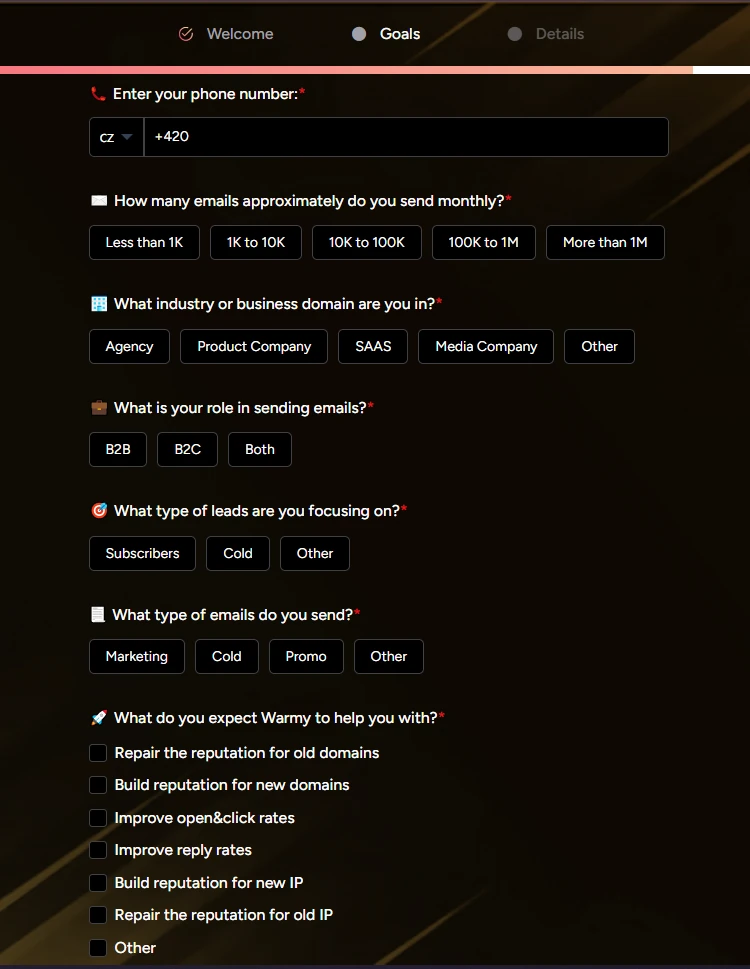
Warmy signup dashboard
Warmy’s newer features
Warmup is still at the center of Warmy, but they now cover much more of the deliverability process. Along with more control over how warmup runs, Warmy has added inbox placement testing, domain monitoring, email validation, reporting, and other tools.
Adeline AI and warmup controls
Warmy gives users three warmup speeds: Slow, which runs for roughly 70 to 85 days; Medium, at 35 to 45 days; and Fast, at 24 to 32 days.
Pacing and engagement are managed by Adeline, Warmy’s proprietary AI system. Adeline determines volume and timing during warmup and also appears in the dashboard as “Ask Adeline AI.” From there, users can ask it to scan their mailboxes or suggest changes to email templates.
Warmup can also be configured by topic and language, with the option to add custom templates and prioritize specific email providers.
Warmup plans by email provider
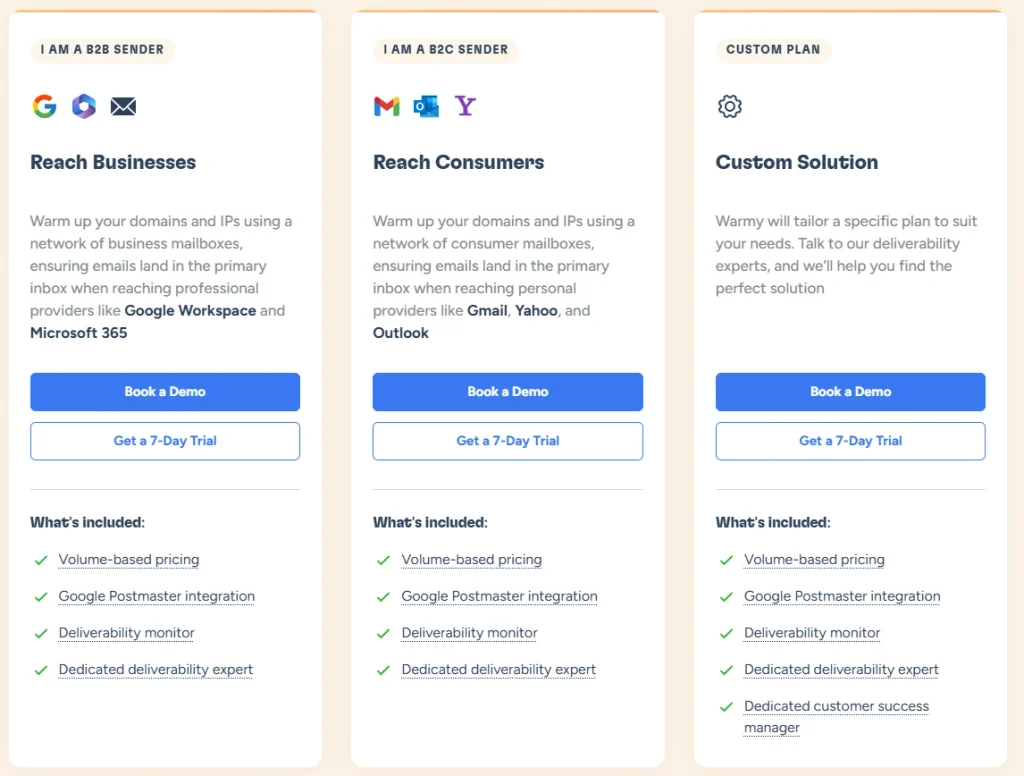
Warmy offers different warmup plans depending on the email providers you need to cover. One option supports Google Workspace and Microsoft 365, while another covers Gmail, Yahoo, and Outlook.com.
Users can select either option or both during signup.
Seed lists and inbox placement testing
Warmy offers two ways to check where emails are landing. Placement tests use credits to test deliverability across providers including Gmail, Google Workspace, Outlook, Microsoft 365, and Yahoo, and can also be run through Warmy’s API. Our trial account included one placement test credit, so we could try the feature without upgrading.
Seedlist is a separate paid product for ongoing placement testing. In our trial, the seed lists themselves were blurred behind a “See Plans” prompt. Pricing starts at $166 per month for 500 Gmail or Outlook seeds and goes up to $750 per month for 2,500 Yahoo seeds at the time of writing.
Google Postmaster and domain health
Warmy’s Google Postmaster integration brings domain reputation, IP reputation, and spam-rate data into its dashboard alongside placement results, DNS records, and an overall health score.
Users can monitor domain health separately through the Domains screen, while the Mailboxes screen shows DKIM and SPF information for individual inboxes. Bulk connection and grouping tools are available for accounts managing larger numbers of mailboxes.
Reporting and email validation
Dashboard data can be exported as PDF or XLSX reports for individual mailboxes.
Warmy also includes email validation. Users can upload a contact list to identify deliverable and non-deliverable addresses before sending.
Inbox Academy
Inbox Academy is Warmy’s educational side, with training on email deliverability and a certification users can complete to earn a Deliverability Expert badge.
Warmy pricing
Warmy prices its Warm Up plans per mailbox, with limits based on monthly warmup volume.
| Plan | Warmup volume | Monthly billing | Annual billing |
| Starter | ~1,000/month | Not available | $41/month |
| Business | ~5,000/month | Not available | $108/month |
| Premium | ~20,000/month | $189/month | $158/month |
| Expert | ~50,000/month | $279/month | $233/month |
| Platinum | ~200,000/month | $429/month | $358/month |
Starter and Business require annual billing, so Premium at $189 per mailbox is the lowest-priced option if you want to pay month to month. Warmy also applies daily sending limits alongside the monthly allowance.
Note: All prices are current as of September 2026. Please verify live pricing before purchase.
What Warmy users say
Warmy has generally positive reviews, with users frequently praising its ease of use and customer support. Capterra rates Warmy 4.7 for ease of use and 4.8 for customer service.
Price is the most common criticism in our review set, particularly around the cost of managing multiple mailboxes. Reviewers also report inconsistent results with Outlook and Microsoft 365 accounts, the fourth most frequent complaint we found.
Feedback on the interface is more mixed. Most users find Warmy straightforward to use, although some say the dashboard can feel busy or overwhelming at first.
| Pros | Cons |
| Easy setup and mailbox management | Pricing can add up across multiple mailboxes |
| Customer support receives consistently positive feedback | Some users report mailbox connection or platform issues |
| Adjustable warmup settings and pacing | Some users want more control over warmup settings |
| Warmup plans cover multiple email providers | Dashboard can feel overwhelming at first |
| Placement testing, domain health, validation, and reporting | Seed lists and other tools add to the overall cost |
| Multi-workspace and white-label features for agencies | Larger feature set may be unnecessary for warmup-only users |
Who is Warmy best for?
Warmy can work for individual senders, but many of its newer features become more useful when you’re managing multiple mailboxes, clients, or deliverability tasks. Here are the use cases that get the most from them.
Agencies managing client email
Agencies get some of the clearest benefits from Warmy’s higher-tier features. Multi-workspace support lets you keep client accounts separate, with up to 50 workspaces and individual team access. White-label reporting also makes it possible to share deliverability reports without Warmy branding.
On larger accounts, the Custom plan adds a dedicated customer success manager and custom pricing.
Sales teams running multiple mailboxes
Warmy supports teams managing multiple sending accounts from one place. Each mailbox can be monitored separately, while reporting and domain health tools give teams a wider view of deliverability across their sending setup.
Teams managing deliverability in-house
Warmy makes more sense as a wider platform when warmup is only one part of the job. Google Postmaster data, domain health monitoring, placement testing, email validation, and reporting can all be managed from the same account.
Do you need everything Warmy offers?
That depends on what you want from an email warmup tool.
Warmy’s wide set of capabilities makes sense if you also want placement testing, domain reputation monitoring, email validation, deliverability reporting, and tools for managing client accounts.
But those features come with a higher price, particularly if you’re managing multiple mailboxes.
If email warmup is your main priority, a dedicated warmup tool may give you more of what you need without paying for the rest.
Warmup Inbox for email warmup
Warmup Inbox takes a more specialized approach. Instead of adding placement testing, domain monitoring, and other deliverability products, it puts its resources into the warmup process itself. Its network consists of more than 30,000 real, verified inboxes, with no artificial or AI inboxes, and each inbox averages around 40 warmup emails per day.
Warmup Inbox comes with simpler, lower-cost pricing. Warmup Inbox starts at $19 per inbox monthly or $15 per inbox per month with annual billing, with volume pricing available as you add more inboxes. By comparison, Warmy’s cheapest monthly option starts at $189 per mailbox.
If warmup is what you actually need, you don’t necessarily need to pay for an entire deliverability suite around it. Try Warmup Inbox free for seven days to see how it works with your own inboxes.
Frequently Asked Questions
Is Warmy just an email warmup tool?
No. Warmy started as an email warmup tool but now also offers inbox placement testing, Google Postmaster monitoring, email validation, reporting, domain health tools, and agency features.How much does Warmy cost?
Warmy’s Warm Up plans start at $41 per mailbox per month with annual billing. Starter and Business require annual billing, while monthly plans start with Premium at $189 per mailbox. Pricing is current as of September 2026.Does Warmy offer inbox placement testing?
Yes. Warmy offers credit-based placement tests across providers including Gmail, Google Workspace, Outlook, Microsoft 365, and Yahoo. Its Seedlist product provides additional placement testing and is priced separately from Warm Up plans.What is the difference between Warmy and Warmup Inbox?
Warmy includes warmup alongside a larger set of deliverability tools, including placement testing, domain monitoring, validation, and reporting. Warmup Inbox specializes in email warmup, with a network of more than 30,000 real, verified inboxes and pricing starting at $19 per inbox monthly or $15 with annual billing.


