
Best Email Warmup Tools for Agencies: 5 Options Compared
TL;DR
Warmup Inbox is the best overall option for agencies managing warmup across multiple clients and sending platforms. It keeps client inboxes in one account, with tags for organization, bulk actions and volume pricing. Instantly and Smartlead are alternatives for agencies already using their outbound ecosystems, while MailReach offers standalone warmup and testing. Folderly is better suited to deeper deliverability diagnostics.
Warming one inbox is relatively straightforward. Managing 40 inboxes across a dozen client domains is another job entirely.
Agencies need to think about more than warmup volume. Reporting, client separation, placement testing, pricing at scale and compatibility with different sending tools all become important.
Here’s how five options compare.
Key takeaways
- Consider how warmup fits your sending workflow. Instantly and Smartlead include warmup alongside campaign sending, but warmup activity isn’t independent evidence of where real campaigns are landing.
- Compare pricing at your actual inbox count. Warmup Inbox’s per-inbox price drops from the second inbox, while competitors have different annual discounts, plan limits and pricing for larger teams.
- Folderly goes beyond routine warmup. Its monitoring and diagnostic features are more relevant when you’re investigating existing deliverability problems.
- Test before a full rollout. Start with an agency-owned or lower-risk domain before connecting a client’s primary inboxes.
| Tool | Best agency fit | Pricing |
| Warmup Inbox | Standalone warmup, multi-client management, bulk actions | From $15/inbox/mo annually; volume discounts from the second inbox |
| Instantly | High-volume outbound with bundled warmup | Premium Warmup Pool: $500/mo |
| Smartlead | Multi-client campaigns in one product | $32–$315/mo, billed annually |
| MailReach | Independent warmup and placement testing | From $19.50/mailbox/mo |
| Folderly | Deliverability diagnostics and remediation | From approximately $96/mailbox/mo annually |
What warmup can and can’t fix
Warmup gives a new or cold mailbox time to build sending history before you increase volume. With Warmup Inbox, the first improvements can appear within 3-7 days, but warmup is an ongoing process, not something you complete once and stop.
Warmup Inbox’s Health Score reflects a rolling 30-day window, and warmup continues running beyond those initial improvements.
But warmup alone doesn’t prove that campaigns will reach real recipients. Engagement within a warmup network is still separate from the behavior of the people you’re actually emailing.
It also can’t compensate for poor authentication or high complaint rates. Google requires SPF, DKIM and DMARC for senders exceeding 5,000 messages per day to Gmail accounts and requires spam rates to remain below its thresholds. Yahoo and Microsoft also impose authentication requirements on high-volume senders.
Warmup can support sender reputation, but the fundamentals still have to be in place.
The 5 tools compared
Each tool handles agency-scale warmup differently, particularly when it comes to client management, reporting, pricing, and campaign sending.
1. Warmup Inbox
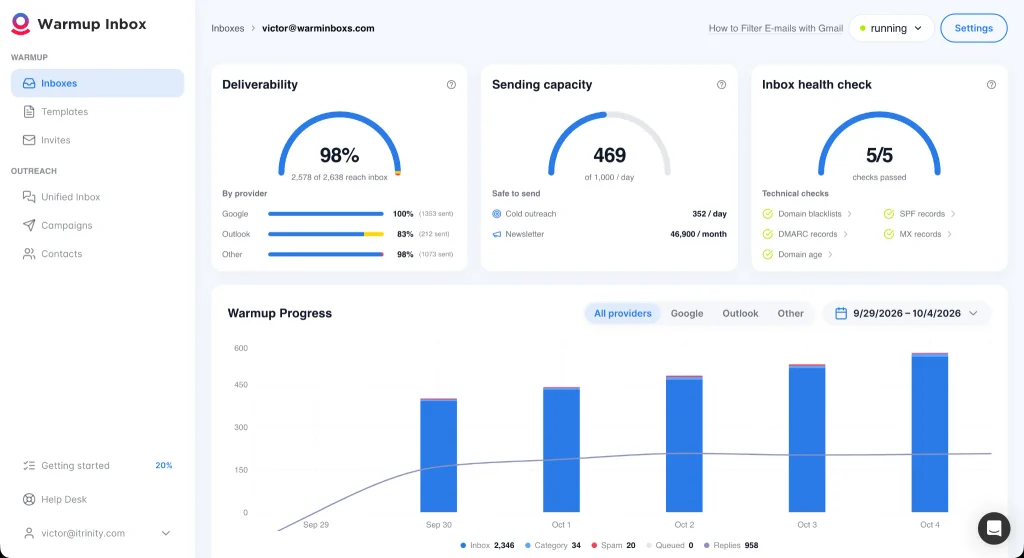
Pricing updated October 26, 2026.
Warmup Inbox works independently of your campaign platform, so different clients can keep their existing sending stacks while you manage warmup separately.
The agency dashboard brings client inboxes into one account. You can organize them with tags, manage multiple inboxes through bulk actions and use Corporate Invites to manage access. Agencies can also run free placement tests.
Warmup runs across a network of more than 30,000 real inboxes, generating over 6 million interactions daily. Capped reply rates, spam rescue and per-inbox ramp settings give agencies control over warmup activity. The Health Score reflects a rolling 30-day window. Agencies that also want to send outreach can use cold email sequences from the same warmed inboxes.
Warmup Inbox pricing starts at $15 per inbox per month when billed annually, with the per-inbox price decreasing from the second inbox. Basic includes up to 75 warmup emails per day. Pro costs $49 and increases the limit to 250 per day while adding features such as custom ramp settings and multilingual warmup. Max costs $79 for up to 1,000 warmup emails per day.
Volume discounts are available for larger accounts. There’s also a seven-day free trial with no card required.
Key advantages:
- Manage client inboxes from one account using tags and bulk actions.
- Independent of clients’ sending platforms.
- Free placement testing and Corporate Invites.
- Volume discounts starting from the second inbox.
- SPF, DMARC, MX and blacklist checks.
Who should choose another tool? Agencies already running client campaigns in Instantly or Smartlead may prefer to keep their warmup there. Teams dealing with persistent deliverability problems may benefit more from Folderly’s diagnostic tools.
Warm up every client inbox from one dashboard
Try Warmup Inbox free for 7 days.
2. Instantly
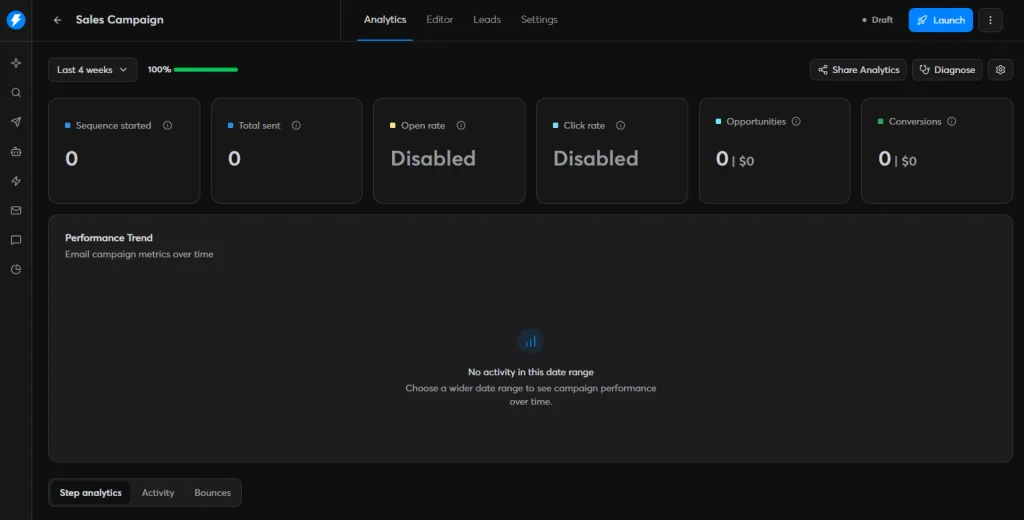
Pricing checked October 26, 2026.
Instantly is aimed at teams managing high-volume cold email campaigns. Like Warmup Inbox, it offers both campaign sending and warmup.
Instantly’s Premium Warmup Pool costs $500 per month, per workspace, making it the more relevant option for agencies comparing dedicated warmup capabilities. Its standard outreach plans also include warmup, starting at $47 per month for Growth.
Agencies already using Instantly to run client campaigns can manage warmup within their existing workflow. See our full Instantly comparison for a closer look at its features, network and pricing.
| Pros | Cons |
| Predictable pricing for high-volume sending | Warmup is tied to the Instantly ecosystem |
| Unlimited email accounts on Growth and above | Premium Warmup Pool costs $500/month |
3. Smartlead
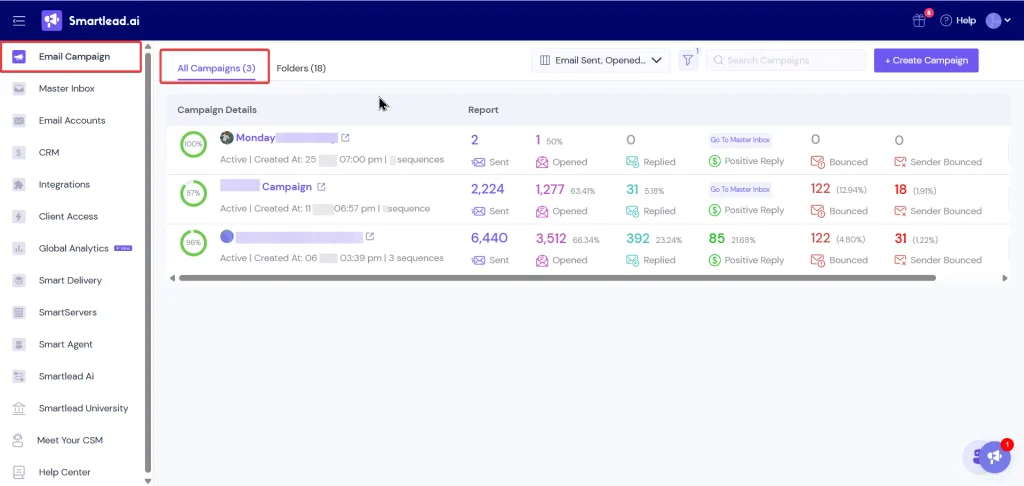
Pricing checked October 26, 2026.
Smartlead offers campaign sending and email warmup on the same platform. Agencies can manage multiple campaigns alongside inbox rotation, a unified inbox, reporting and warmup.
Unlimited email accounts are included across its plans. Annual pricing starts at $32 per month for Base and reaches $315 per month for Unlimited Prime.
That pricing model can be attractive when you’re managing a large number of inboxes, but the deliverability workflow remains tied to Smartlead. It’s most relevant for agencies prepared to run client campaigns inside the same system.
| Pros | Cons |
| Unlimited email accounts across plans | Deliverability workflow is tied to Smartlead |
| Built for managing multiple outbound campaigns | Less suitable if clients use different sending platforms |
4. MailReach
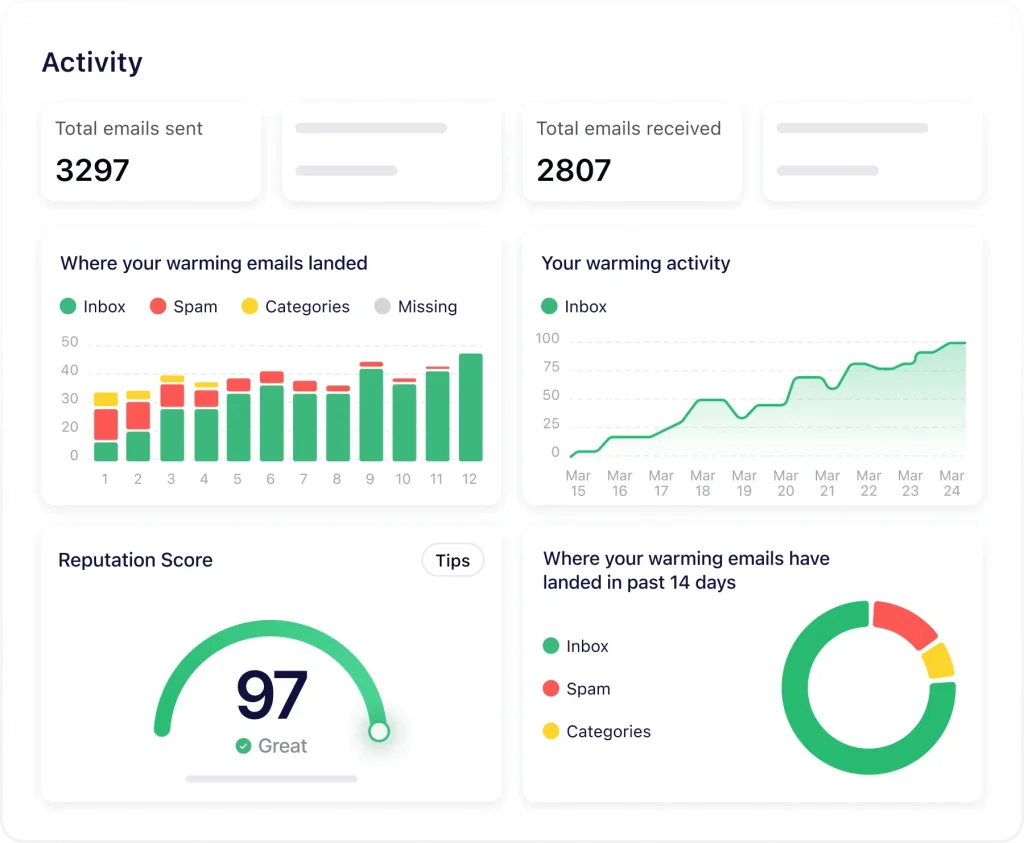
Pricing checked October 26, 2026.
MailReach keeps warmup separate from your campaign platform. It provides standalone warmup alongside spam testing across major mailbox providers and reputation monitoring.
Pricing starts at $19.50 per mailbox per month according to their pricing page. Annual discounts are available, while pricing for 100 or more mailboxes requires contacting the company.
That can work well for agencies with a smaller number of client inboxes that want an independent deliverability tool. At larger volumes, the per-mailbox pricing becomes much more significant.
MailReach doesn’t list a free trial. If you want to check a domain before paying for ongoing monitoring, you can also run a free email placement test.
| Pros | Cons |
| Works independently of the sending platform | |
| Standalone warmup and placement testing | Costs rise quickly as inbox count increases |
| Reputation monitoring included |
5. Folderly
Pricing checked October 26, 2026.
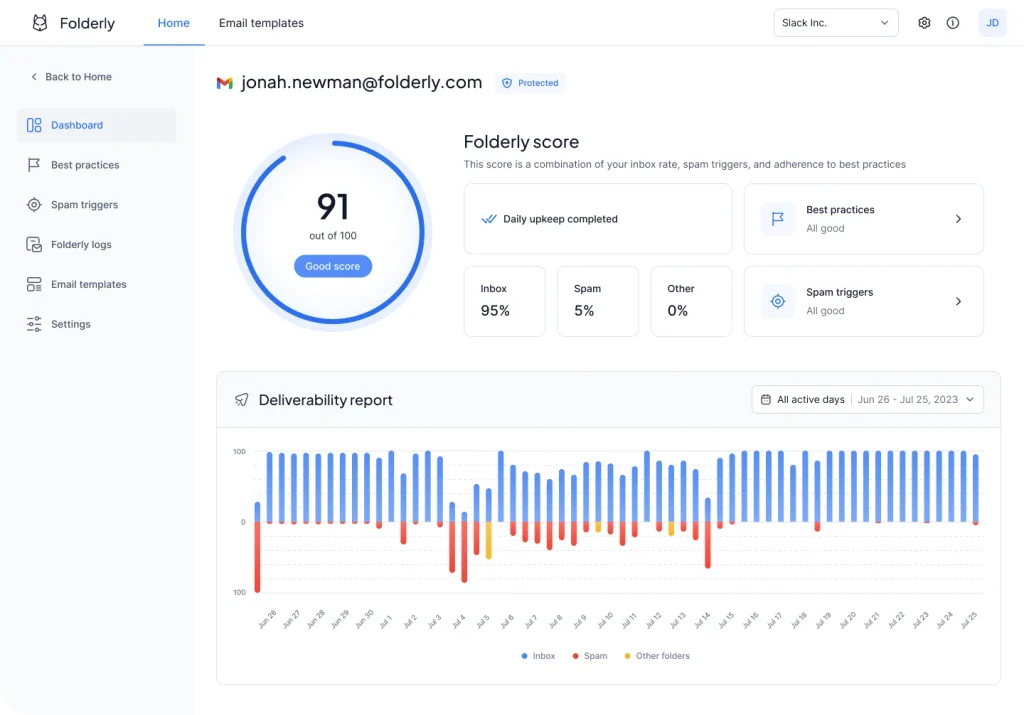
Folderly sits closer to a full deliverability platform than a basic warmup tool.
Its features include daily monitoring, spam-trigger detection, content analysis and authentication checks. Folderly also offers Daily Upkeep, an automated process designed to maintain mailbox performance.
Pricing starts at roughly $96 per mailbox per month when billed annually. Folderly’s separate Inbox Insights product handles repeatable placement testing and costs $79 per month or $799 per year.
That makes Folderly considerably more expensive than the other options here. Its diagnostic depth is easier to justify when you’re investigating problems on an important or damaged domain than when you simply need to ramp up a group of new inboxes.
Have a look at our full Folderly comparison for more detail. If diagnostics are the priority, we’ve also compared a wider selection of email deliverability tools.
| Pros | Cons |
| Detailed deliverability diagnostics | Highest starting price on this list |
| Authentication and content checks | Inbox Insights costs extra |
| Useful for investigating existing problems | More product than many agencies need for routine warmup |
Before you connect a client’s inbox
Agency warmup becomes riskier when you’re working with domains that already carry real business traffic. A few checks before rollout can prevent a deliverability experiment from affecting a client’s primary email operation.
- Map the client’s sending setup. Identify every domain, mailbox and sending service already in use. Keep cold outreach separate from corporate and transactional email where appropriate.
- Check authentication first. Validate SPF, DKIM and DMARC before starting warmup.
- Watch real deliverability signals. Track bounces, replies, complaints and blacklist status alongside any score reported by the warmup tool.
- Decide when to pause. Set clear rules for stopping activity if an inbox is blacklisted or bounce and complaint rates rise unexpectedly.
- Start somewhere low risk. Test the workflow on an agency-owned domain or lower-risk client inbox before rolling it out to a client’s primary sending infrastructure.
Provider limits still apply regardless of the warmup tool you use. Warmup shouldn’t be treated as a way around sending limits, authentication requirements or anti-spam policies.
The bottom line
Warmup Inbox is the best overall option for agencies managing clients across different sending platforms. It brings client inboxes into one account, with tools for organizing them and volume discounts as you scale.
Instantly and Smartlead are more compelling when outbound campaigns already run inside those products. MailReach keeps warmup and testing independent, while Folderly is aimed at teams that need deeper diagnostics and remediation alongside ongoing deliverability monitoring.
Whatever you choose, warmup is only one part of deliverability. Authentication, targeting, list quality and actual recipient engagement still matter. For more options, see our full comparison of email warmup tools.
Or, check where client campaigns actually land with a free placement test.
Frequently Asked Questions
What are the best warmup tools for agencies?
Warmup Inbox, Instantly, Smartlead, MailReach and Folderly cover different agency needs. Warmup Inbox is the best overall option for agencies that want standalone warmup, centralized client inbox management and volume discounts without moving client campaigns to the same sending platform.Is bundled warmup inside Instantly or Smartlead enough?
It can be if your campaigns already run inside the same platform. Warmup activity isn’t independent placement evidence, though, so agencies managing important client domains may still want separate inbox placement testing or reporting.How should agencies compare warmup pricing?
Compare costs at the number of inboxes you actually expect to manage. A pricing model that looks inexpensive at three or five inboxes can look very different at 25, 50 or 100. Check volume discounts, plan limits and any additional charges for testing or reporting.Should agencies run a pilot before rolling out a warmup tool?
Yes. Start with an agency-owned domain or lower-risk client inboxes. Monitor placement, bounces, replies, complaints and blacklist status before rolling the tool out more widely.