
What Is Folderly? Inside the Email Deliverability Platform
TL;DR (Quick Answer)
Folderly monitors email deliverability, identifies spam placement problems, and recommends fixes. It also offers automated background activity through Daily Upkeep, but its main appeal is its diagnostic tools. At $96 per mailbox per month annually, it’s considerably more expensive than dedicated warmup services.
Folderly is often described as an email warmup tool, but that’s only part of what it offers today.
Its service also checks technical settings, identifies spam triggers, tracks mailbox health, and recommends ways to improve inbox placement.
So, what do you actually get with Folderly, and is it worth the price?
Key takeaways
- Folderly goes beyond email warmup. Its core service monitors deliverability, identifies spam triggers, and recommends fixes for problems affecting inbox placement.
- Automated activity is included. Daily Upkeep runs in the background, but Folderly doesn’t publicly disclose its warmup network size or offer the same documented ramp controls as dedicated warmup tools.
- Deliverability tools extend beyond the core service. The dashboard tracks mailbox health and performance, while separate products like Inbox Insights and Pulse provide placement testing and alerts.
- Pricing starts at $96 per mailbox per month annually. That’s considerably higher than Warmup Inbox Basic, which starts at $15 per mailbox per month with annual billing.
- Reviews are generally positive. Users praise Folderly’s customer support and deliverability improvements, although the price is a common complaint.
Want to see how Folderly looks next to Warmup Inbox? Check out our in-depth comparison page.
What is Folderly?
Folderly checks email authentication, spam triggers, and mailbox health, with a dashboard for tracking performance over time. Folderly also runs automated background engagement through its Daily Upkeep feature.
Unlike traditional warmup tools, Folderly puts more emphasis on diagnosing deliverability problems and improving the performance of existing sending accounts.
Folderly’s key features
Folderly’s main features cover automated mailbox maintenance, deliverability diagnostics, and performance monitoring. It also offers separate products for inbox placement testing and other email checks.
Daily Upkeep and automated activity
Folderly’s Daily Upkeep monitors mailbox activity and inbox placement in the background. It checks where test emails land and provides information users can investigate when deliverability problems appear.
The dashboard shows daily operations alongside mailbox health and inbox placement results.
Folderly provides controls for daily sending limits, although its publicly documented warmup settings are less extensive than those offered by dedicated warmup tools.
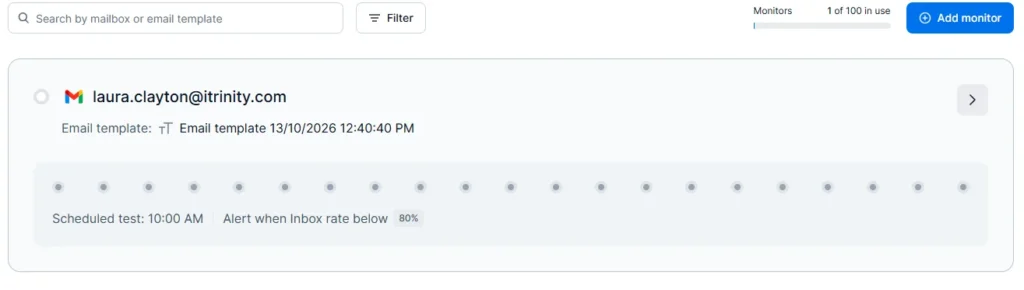
Folderly daily upkeep
Deliverability dashboard and Folderly Score
The dashboard brings together mailbox health scores, inbox placement rates, spam triggers, and detected problems.
Folderly Score provides a measure of mailbox health, while the timeline shows historical results and actions taken. You can compare mailboxes and see how their performance changes over time.
Spam triggers and technical diagnostics
Folderly checks email authentication, DNS settings, and content-related spam triggers, including those associated with Gmail and Outlook.
Its Tasks dashboard organizes detected issues by priority and provides recommendations for resolving them. Each task identifies the affected mailbox and explains what needs attention.
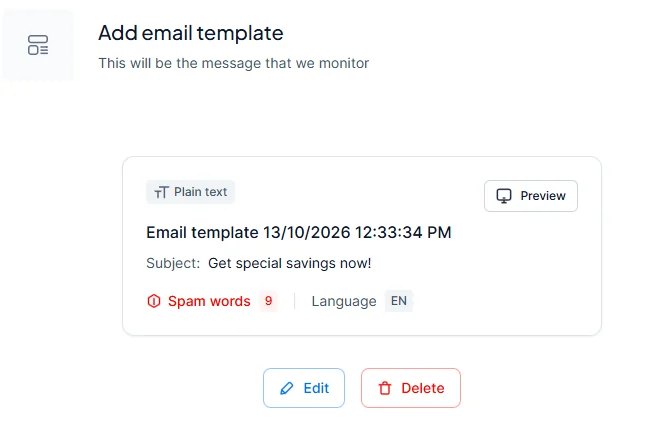
Folderly email template creation
Inbox Insights
Inbox Insights is a separate product for testing where emails land before you send a campaign.
Tests report inbox placement across providers, authentication and DNS results, and potential IP reputation or blocklist problems.
Folderly offers two free tests per month. Paid access costs $79 monthly for 100 tests or $799 annually.
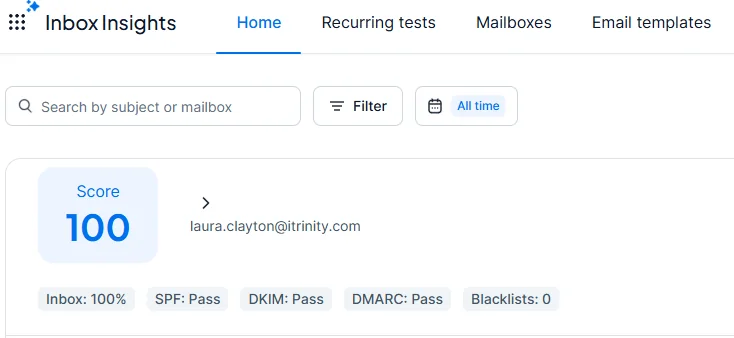
Inbox Insights dashboard
Pulse monitoring and alerts
Pulse monitors inbox placement and alerts you when results cross thresholds you’ve configured.
You can set testing schedules, create alert rules, and review results in a separate dashboard. Folderly currently offers Pulse for free.
Folderly’s additional tools
Folderly also offers several products alongside its core deliverability service:
- Folderly AI: Drafts email campaigns.
- Lens: Examines sending infrastructure.
- Flash: Tests email messages.
- DMARC tools: Reviews email authentication reports.
- Mirror: Checks how emails render.
These tools have different purposes, and their availability and pricing vary. They aren’t all included in the core Folderly subscription.
How much does Folderly cost?
Folderly charges per mailbox, with discounts for annual billing and larger numbers of accounts.
| Mailboxes | Price per mailbox/month (annual billing) |
| 1–9 | $96 |
| 10–24 | $72 |
| 25–99 | $56 |
| 100+ | Custom pricing |
Prices verified October 2026. Please verify pricing on your own before committing.
Monthly billing starts at approximately $120 per mailbox, based on Folderly’s advertised annual discount. With annual billing, a single mailbox costs $1,152 per year. Folderly also notes that a minimum commitment applies.
Some products are priced separately. Inbox Insights, for example, costs $79 per month for 100 placement tests, or $799 annually.
Folderly is a considerable investment, especially for businesses managing multiple mailboxes. Its pricing reflects the broader diagnostic and monitoring capabilities beyond basic email warmup.
What Folderly users say
Folderly has generally positive ratings across major review websites:
- G2: 4.8/5 from 103 reviews.
- Capterra: 4.8/5 from 44 reviews.
- Trustpilot: 4.5/5 from 18 reviews.
Customer support is one of its clearest strengths. Reviewers praise the team’s responsiveness, practical guidance, and assistance with getting accounts configured.
Users also report improvements in inbox placement and sender reputation, with several describing straightforward setup and a dashboard that’s easy to navigate.
The complaints are less consistent, but they include the high price, occasional technical issues, and requests for more detailed reporting or clearer explanations of diagnostic results.
| Pros | Cons |
| Detailed technical and content diagnostics | Expensive per-mailbox pricing |
| Ongoing deliverability scores and monitoring | Limited published warmup controls |
| Actionable recommendations for detected problems | No publicly disclosed warmup network size |
| Responsive customer support | Separate products may add to total costs |
| Inbox placement testing and alerts available | More functionality than basic warmup requires |
| Supports multiple sending providers | Some users report bugs or inconsistent diagnostics |
Ratings checked October 2026.
Who is Folderly best for?
Folderly is worth considering when standard warmup, reputation monitoring, and routine deliverability checks aren’t enough to identify or resolve a problem.
Investigating persistent deliverability problems
If your emails keep landing in spam despite correct authentication and regular warmup, Folderly can investigate potential causes through its technical diagnostics, content analysis, and recommended fixes.
Its Tasks dashboard organizes detected issues by priority, giving you a clearer idea of what to investigate next.
Troubleshooting complex sending infrastructure
Folderly’s Lens tool examines sending infrastructure, while its DMARC tools provide additional authentication reporting. These can be useful when you’re investigating problems that go beyond individual mailbox settings.
Keep in mind that these are separate tools, and their availability and pricing may differ from the core Folderly subscription.
Monitoring recurring placement problems
Folderly’s Pulse tool lets you schedule inbox placement tests and configure alerts when results cross your chosen thresholds.
This is useful if you need automated alerts about placement changes rather than checking results manually. Pulse is currently offered for free.
Do you need everything Folderly offers?
Folderly’s detailed diagnostics are useful if you’re trying to figure out why your emails keep landing in spam. But not everyone needs that level of troubleshooting.
If you’re mainly looking to warm up new mailboxes, gradually increase sending volume, or maintain sender reputation, a dedicated warmup tool can handle those tasks at a much lower cost.
Warmup Inbox for email warmup
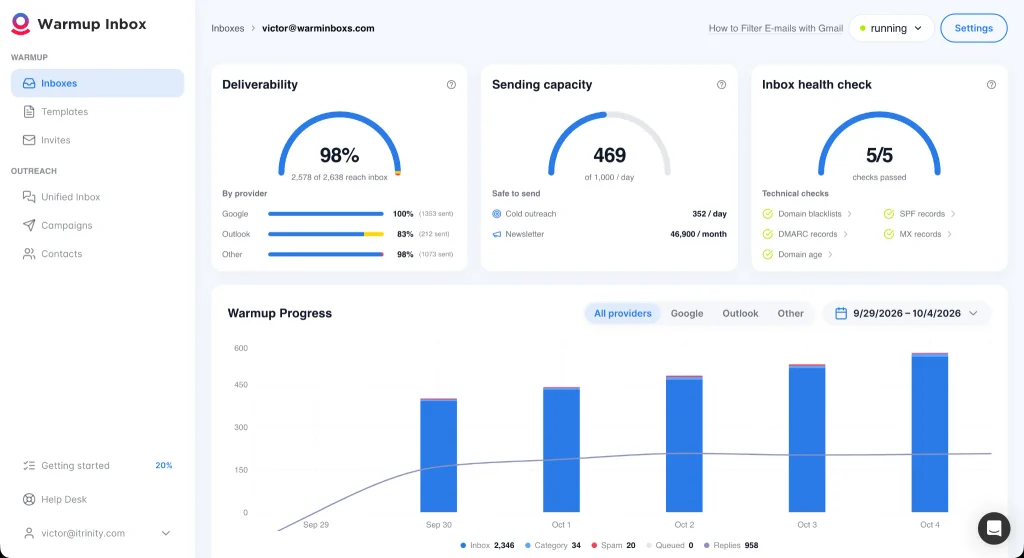
WarmupInbox dashboard
Warmup Inbox gives you control over your email warmup schedule at a fraction of Folderly’s starting price.
Here’s what you get:
- 30,000+ real inboxes: Warmup emails are exchanged through a network of real inboxes, with reply caps to prevent excessive activity.
- Spam rescue: When warmup emails land in spam, they’re automatically moved to the inbox to generate positive engagement signals.
- 30-day Health Score: See how your inbox health has changed over the past month.
- Customizable warmup schedules: Set your starting volume, daily increases, and maximum sending limits.
- Inbox placement monitoring and testing: Track inbox, spam, and promotions placement for connected accounts, or run a free standalone placement test across major email providers.
- Blacklist monitoring: Check whether your sending IP or domain appears on email blacklists.
- SPF, DKIM, and DMARC checks: Identify authentication issues that could affect deliverability.
- Reputation monitoring: Track mailbox reputation and warmup performance.
- Multilingual warmup: Pro and Max plans support warmup in 12 languages.
- Inbox rotation: Available on the Max plan.
- Outreach sequences: Run basic email sequences alongside automated warmup.
- Broad provider support: Works with Gmail, Google Workspace, Outlook, Microsoft 365, Yahoo, and other providers.
Warmup Inbox Basic starts at $19 per mailbox monthly or $15 per mailbox per month annually, including outreach sequences and up to 75 warmup emails per day.
That’s $81 less per mailbox per month than Folderly’s entry-level annual rate, with the warmup controls and monitoring tools included.
Try Warmup Inbox free for seven days. No credit card required.
Frequently Asked Questions
Is Folderly an email warmup tool?
Folderly includes automated background activity through Daily Upkeep, but currently markets its core service as email deliverability management rather than conventional warmup.How much does Folderly cost?
Folderly starts at $96 per mailbox per month with annual billing or around $120 with monthly billing. Volume discounts apply to larger numbers of mailboxes.Does Folderly offer inbox placement testing?
Yes. Its separate Inbox Insights product includes two free tests per month, with a paid plan starting at $79 monthly for 100 tests.What’s the difference between Folderly and Warmup Inbox?
Folderly provides detailed deliverability diagnostics, monitoring, and recommended fixes. Warmup Inbox offers automated warmup, inbox placement monitoring, blacklist checks, and SPF/DKIM/DMARC checks, with plans starting at $15 per mailbox per month annually.Is Folderly worth the price?
It can be for businesses investigating complex deliverability problems. If automated warmup is your main requirement, Warmup Inbox offers a considerably cheaper option.